Kaila.ai favicon

Kaila.ai
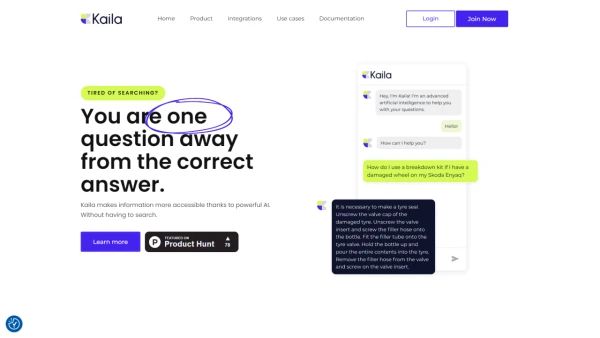
You are one question away from the correct answer

What is Kaila.ai?

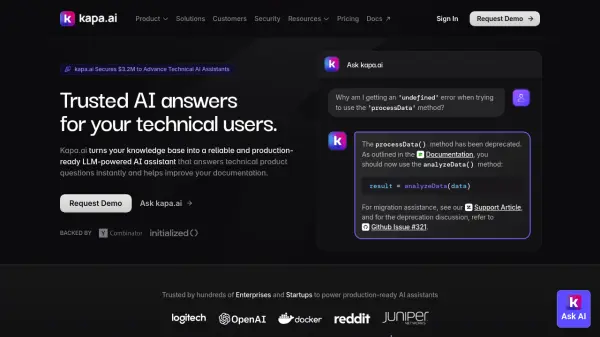
Kaila.ai leverages advanced generative artificial intelligence to organize and provide rapid access to a company's entire knowledge base. This deep neural network-based AI tool bypasses traditional decision trees, ensuring precise answers to relevant questions without the constraints of predefined pathways. Kaila integrates with popular services like Google Docs and Slack, offering seamless connection, automatic updates, and custom app creation through its API. It's designed for easy setup without coding, saving countless hours and enhancing customer and employee experiences.

Features

  • Infinite saved time: Highly accessible and relevant information at one touch.
  • Easy & Quick Setup: Integrate (no-code) & use today with minimal effort.

Use Cases

  • Product or Service onboarding: Address any questions regarding products or services efficiently.
  • Customer support: Streamline customer inquiries beyond routine support queries.

FAQs

  • How does Kaila.ai access information?
    Kaila.ai leverages advanced generative artificial intelligence to organize and provide rapid access to a company's entire knowledge base.
  • Can Kaila.ai integrate with other services?
    Yes, Kaila.ai can integrate with popular services like Google Docs and Slack for seamless connections and custom app creation through its API.
  • Is coding required for setting up Kaila.ai?
    No, Kaila.ai is designed for easy setup without coding, allowing users to start using the tool quickly with minimal effort.

Related Queries

Helpful for people in the following professions

Related Tools:

Blogs:

  • Ghibli Art Generator AI tools

    Ghibli Art Generator AI tools

    List of the best AI tools to turn your photos into images that look like Studio Ghibli movies. Easy to use and fun for everyone.

  • Top 6 AI note-taking tools for 2026: in-person, online, and hybrid use cases

    Top 6 AI note-taking tools for 2026: in-person, online, and hybrid use cases

    Most AI note-taking lists are really lists of meeting bots, which join your video call and transcribe it. That's useful, but it's half the picture. Decisions happen in hallway conversations, client dinners, on-site visits, and hybrid rooms where nobody is on a video link. This guide covers different parts of the note-taking workflow: hardware capture for in-person settings, platform-native tools for online calls, and AI layers for organizing and synthesizing what you've captured. It compares six tools by capture context, workflow fit, pricing, and limitations.

  • Top AI tools for Teachers

    Top AI tools for Teachers

    Explore the top AI tools designed for teachers, revolutionizing the education landscape. These innovative tools leverage artificial intelligence to enhance teaching efficiency, personalize learning experiences, automate administrative tasks, and provide valuable insights, empowering educators to create engaging and effective educational environments.

Didn't find tool you were looking for?

Be as detailed as possible for better results