What is iPastels?
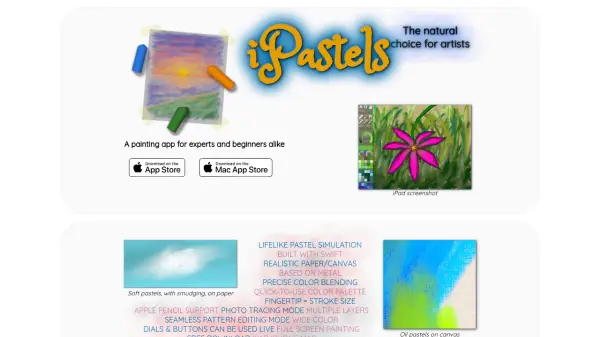
iPastels is a painting application designed for artists of all experience levels, from beginners to experts. It provides a realistic pastel simulation with live-calculated brushes and strokes, enabling users to create digital art that mimics traditional pastel techniques. The app includes tools such as soft pastels, oil pastels, pastel pencils, and smudge tools, allowing for authentic artistic expression without the cost of physical art supplies.
Users can generate unique, non-repeating paper or canvas textures that interact in real-time with strokes, and features like precise color blending, fingertip stroke size control on iPad/iPhone, and full Apple Pencil support enhance the painting experience. Additional functionalities include a customizable color palette, multiple layers, photo tracing mode, seamless pattern editing, and full-screen painting, all built with Metal and Swift for high performance.
Features
- Lifelike Pastel Simulation: Live-calculated brushes and strokes for realistic pastel effects
- Realistic Paper/Canvas Textures: Unique, non-repeating textures that interact with strokes in real-time
- Precise Color Blending: Smudge and Cotton Swab tools for blending colors as in real life
- Touch Radius Control: Use fingertip pressure on iPad/iPhone to adjust stroke size
- Apple Pencil Support: Full compatibility with Apple Pencil and Apple Pencil 2
- Quick Color Palette: Easy-to-use and customizable color selection
- Multiple Layers: Support for layered painting compositions
- Photo Tracing Mode: Ability to trace photos for art projects
- Seamless Pattern Editing Mode: Tools for creating repeating patterns
- Full Screen Painting: Immersive painting experience without distractions
Use Cases
- Creating digital pastel paintings for personal or professional art projects
- Practicing and refining pastel techniques without physical art supplies
- Sketching ideas and compositions before starting traditional paintings
- Using photo tracing to create art based on reference images
- Designing seamless patterns for textiles or digital backgrounds