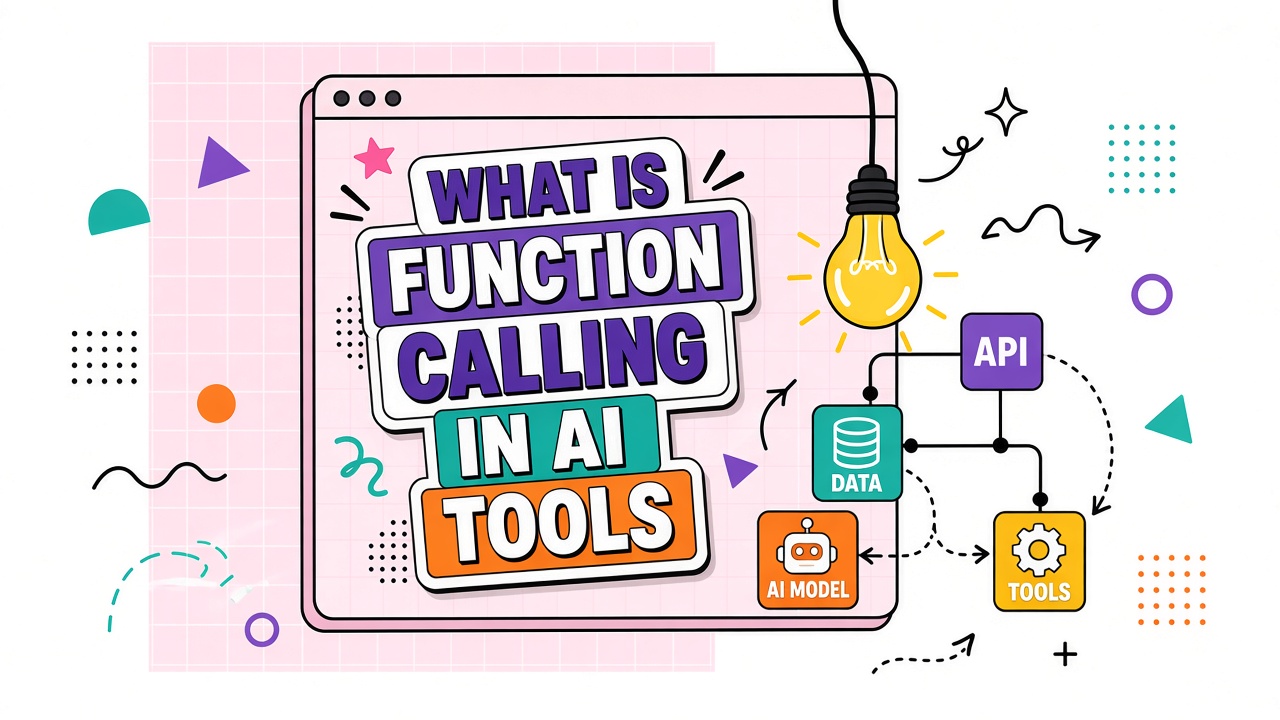
You ask a sales assistant to "book a demo for Acme Corp next Tuesday." Instead of inventing a calendar link, the model returns a structured request: call the scheduling API with a company name, date range, and timezone. Your application executes that call, receives a confirmation URL, and the model turns the result into a friendly reply. That pattern is function calling, also called tool use or actions.
Function calling in AI tools means the model outputs a machine-readable action (name plus arguments) instead of only natural language. OpenAI, Anthropic, Google, and most agent platforms now expose this capability because chat alone cannot safely update CRM records, query live databases, or trigger workflows. Teams evaluating AI writing tools and AI marketing platforms with automation claims should understand how function schemas work, what breaks in production, and how function calling differs from retrieval or fine-tuning.
What Function Calling Is: Structured Actions, Not Just Text
Function calling is the contract between a language model and your application. You register one or more functions with JSON schemas describing parameters. When the model decides an external action is needed, it emits a structured payload naming the function and supplying arguments. Your code validates those arguments, executes the real API, and returns the output as a new message in the thread.
The model never directly touches your database or payment system. It proposes actions; your server enforces authentication, rate limits, and business rules. That separation is why vendors advertise "AI agents" but still require developer integration for anything beyond demos.
Major API providers use slightly different naming. OpenAI documents "function calling" and broader "tools" that include code interpreter and retrieval. Anthropic exposes "tool use" with XML-style tool blocks in some SDK paths. Google Gemini lists "function declarations" in the API reference. The underlying pattern is consistent: declare capabilities, let the model request them, execute server-side, return results. Buyers comparing platforms should map terminology in documentation rather than assuming feature parity from label alone.
Text responses vs structured tool calls
A text-only model produces strings. A function-calling model can produce machine-readable action requests that downstream code validates and runs. That separation is what turns a chatbot into an agent that can take real steps in your stack. Parsing free text with regex to extract intent was the pre-2023 pattern; it broke on rephrasing and multilingual inputs. Structured tool calls reduce ambiguity but introduce new failure modes around parameter hallucination and wrong tool selection.
How Schemas, Arguments, and Responses Flow
- Register tools: Your app sends function definitions (name, description, parameter schema) with each request or caches them server-side.
- Model chooses: The LLM either replies in text or returns a tool call with JSON arguments matching the schema.
- Validate and execute: Your backend checks types, permissions, and idempotency, then runs the real API.
- Return results: Tool output is injected as a structured message. The model continues generation using that evidence.
- Loop or finish: Multi-step agents repeat steps 2 through 4 until a final user-facing answer is produced.
| Stage | Who owns it | Typical failure |
|---|---|---|
| Schema design | Your engineering team | Ambiguous parameter names the model misfills |
| Tool selection | The language model | Wrong tool chosen for similar-sounding tasks |
| Execution | Your backend | Timeouts, partial writes, missing auth scopes |
| Answer synthesis | The language model | Misreading API errors as success |
Function Calling vs RAG vs Fine-Tuning
These three techniques solve different problems and often appear together in production stacks. Function calling executes live actions. RAG retrieves static or slowly changing documents. Fine-tuning adjusts model behavior on examples, not real-time data access.
| Approach | Best for | Not a substitute for |
|---|---|---|
| Function calling | Booking, ticketing, CRM updates, calculations on live systems | Reading a 200-page policy PDF end to end each query |
| RAG | Grounding answers in internal docs, wikis, and knowledge bases | Creating calendar events or charging a credit card |
| Fine-tuning | Tone, format, domain vocabulary, classification edge cases | Guaranteed access to today's inventory levels |
A support bot might use RAG to cite refund policy, function calling to look up order status, and fine-tuning to match brand voice. Buyers should ask which layer a vendor actually ships versus which requires your engineering team to build.
Function calling does not replace RAG for reading long documents at query time. It replaces guessing: instead of the model hallucinating an order status, it calls your order API with a validated ID. Fine-tuning teaches preferred phrasing when presenting API results to users but does not grant live data access. Teams that conflate these layers overspend on fine-tuning when they needed connectors, or wire APIs without retrieval when answers should cite policy text.
Real-World Use Cases in Writing and Marketing Stacks
Function calling shows up wherever AI products promise to "do things" instead of only drafting copy. The pattern is the same across categories; only the connected APIs change.
AI writing and CMS integrations
AI writing tools with publish workflows use function calling to create draft posts, assign categories, and upload featured images through WordPress or Webflow APIs. The model proposes structured payloads; your integration layer enforces site-specific validation before anything goes live. Without function calling, users copy-paste from chat into the CMS manually, which breaks the automation story on day one.
AI marketing and campaign orchestration
Marketing platforms
connect to email providers, ad managers, and analytics dashboards through tool schemas. A campaign assistant might call
get_campaign_metrics, then update_ad_copy, then schedule_send across a multi-turn
loop. Each step needs explicit auth scopes. Marketing buyers should verify which connectors are prebuilt versus require
custom schema work from your team.
Search function calling AI tools on EliteAI.tools with integration depth in mind. A long connector list means little if your CRM or ESP is missing or locked behind enterprise tiers.
Failure Modes: Hallucinated Parameters, Timeouts, and Permission Gaps
Demo videos hide the messy middle. Production function calling fails in predictable ways that governance teams should plan for before launch.
- Hallucinated parameters: The model invents customer IDs, dates, or enum values that pass JSON syntax but fail validation.
- Wrong tool selection: Similar function names ("search_users" vs "search_orders") cause incorrect API calls with confident replies.
- Timeouts and retries: Slow third-party APIs leave the user waiting or trigger duplicate writes without idempotency keys.
- Permission gaps: The model requests an action the signed-in user is not allowed to perform. Your backend must reject and explain.
- Error misinterpretation: HTTP 403 responses get summarized as success if the model skims error JSON too quickly.
Mitigations include strict schema validation, human confirmation for destructive actions, circuit breakers on failing integrations, and logging every tool call with arguments redacted for sensitive fields.
Multi-step orchestration and cost control
Each tool call round trip adds one full model inference plus external API latency. An agent that searches CRM records, drafts an email, and schedules a follow-up may run three to six model calls in one user turn. Without step limits, runaway loops burn tokens and annoy users waiting for completion. Production systems set max_steps, cost ceilings per session, and user-visible progress indicators. Some teams route planning to a smaller model and execution validation to a larger one, though that split adds orchestration complexity.
What to Verify on a Vendor's Tool-Use Documentation
Marketing pages say "connects to 5,000 apps." Documentation pages reveal whether that connection is real for your stack. Use this checklist when comparing platforms that advertise function calling or AI agent capabilities.
- Are function schemas OpenAPI-compatible or proprietary? Can you export and version them?
- Who executes tools: the vendor's cloud, your VPC, or a hybrid? Where does OAuth token storage live?
- Is there a maximum number of tool calls per conversation? What happens when the limit is hit?
- Are parallel tool calls supported, and how are race conditions handled?
- Do audit logs capture tool name, latency, success or failure, and correlation IDs for support tickets?
- Can you block specific tools per user role without redeploying the whole agent?
- How are secrets (API keys, OAuth refresh tokens) injected at execution time without exposing them to the model context?
- What sandboxing exists if the model requests an unexpected tool with valid-looking arguments?
Security reviews should treat the tool registry as an attack surface. Every function you expose is a prompt-injection target: a malicious user or poisoned document may try to trick the model into calling privileged APIs. Principle of least privilege, argument allowlists for enums, and outbound network restrictions on execution workers reduce blast radius.
Frequently Asked Questions
Is function calling safe for production data?
Function calling is only as safe as the APIs you expose and the permission model around them. Treat every registered function like a public endpoint: authenticate callers, validate inputs, log actions, and require human approval for irreversible operations such as refunds or account deletion.
Do vendors provide audit logs for tool calls?
Enterprise tiers usually do. Consumer chat products often omit detailed tool traces. Ask whether logs include argument payloads, response bodies, and retention periods aligned with your compliance requirements before relying on a platform for regulated workflows.
How do multi-step workflows differ from single tool calls?
Multi-step agents chain several function calls with intermediate reasoning. Each step adds latency and failure surface. Orchestration layers (retry policies, checkpoints, human-in-the-loop gates) belong in your application code or a dedicated workflow engine, not only in prompt text.
Can no-code tools replace custom function integrations?
No-code connectors work for standard SaaS actions with prebuilt schemas. Custom internal systems still need engineering to define schemas, enforce auth, and handle edge cases. Evaluate no-code platforms on which actions are truly supported versus listed for marketing.
How is function calling different from ChatGPT plugins?
Plugins and function calling share the same core idea: the model selects structured actions defined by the host. Product names differ by vendor. Under the hood, most integrations are tool schemas plus HTTP or SDK execution handlers in your infrastructure or the vendor's connector cloud.
Choosing Tools That Execute, Not Just Explain
Function calling in AI tools is no longer an edge-case API feature. It is the default integration pattern for agents, copilots, and automation products that claim to work with your existing software stack. Evaluation should stress-test real connectors on your data, not scripted demos with sandbox credentials.
Function calling is the bridge between language understanding and real software actions. For teams evaluating AI writing platforms with CMS publish hooks or AI marketing suites with CRM connectors, the quality of tool schemas, validation, and audit trails matters more than raw chat fluency. Define narrow tools, validate every argument, filter by role, and log each step. Combine function calling with RAG for knowledge and fine-tuning for tone when needed, but never substitute polished text for verified execution on operations that affect customers or revenue.