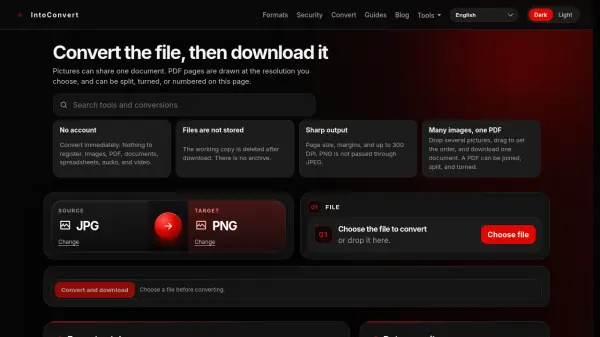
What is IntoConvert?
IntoConvert is a comprehensive online file converter designed to process documents, images, spreadsheets, audio, and video files with speed and confidentiality. Users can convert files across 37 different formats without signing up, paying fees, or dealing with trial periods. The platform features specialized engines tailored to distinct file categories, enabling users to fine-tune quality parameters such as page sizes, margins, resolutions up to 300 DPI, audio bitrates, and video frame rates.
Data privacy is central to the platform, with uploaded files used strictly for the intended conversion process and never stored in a permanent archive. Temporary working copies are automatically erased as soon as the download finishes, and any residual data is purged within an hour. In addition to standard file conversions, the service provides utilities to merge up to 30 images into a single PDF, as well as split, rotate, crop, stamp, and number PDF documents.
Features
- Multi-Format Conversion: Converts across 37 formats spanning images, documents, spreadsheets, audio, and video.
- Account-Free Operation: Enables immediate conversions without accounts, logins, trial periods, or payments.
- Automatic File Deletion: Protects user privacy by deleting working copies immediately after download and clearing remnants within an hour.
- Multi-Image PDF Merging: Combines up to 30 images into a single PDF document with custom margins, ordering, and sizes like A4 or Letter.
- Integrated PDF Tools: Enables users to split, join, turn, crop, stamp, and add page numbers to PDF files.
- Custom Quality Settings: Offers granular controls for DPI resolution up to 300 DPI, audio bitrates, GIF dimensions, and video frame rates.
- Generous File Limit: Accommodates single file uploads of up to 150 MB.
Use Cases
- Converting smartphone HEIC photos into widely supported JPG images.
- Extracting audio from MP4 video files and saving it as an MP3 track.
- Combining several pictures or scans into a single, organized PDF file.
- Converting animated GIFs into MP4 videos to reduce file size and optimize playback.
- Transforming Word DOCX documents and Excel spreadsheets into PDF files.
- Rasterizing vector SVG files into fixed-size PNG bitmaps.
How It Works
Select Source and Target Formats
Choose the initial format of your file and the target format you want to convert it to.
Choose or Drop File
Select the file from your computer or drag and drop it directly onto the upload area.
Convert and Download
Start the conversion process and download your converted file once it is ready.
FAQs
-
What happens to transparent backgrounds when converting images to JPG?
Because the JPG format does not support transparency, transparent areas in converted images are automatically turned white. -
Can password-protected PDF files be converted or altered?
A password can only be removed from a PDF if you provide the specific password that unlocks the file. -
How are multi-page PDF documents delivered when converted to images?
When rendering PDF pages as images, documents with more than one page (up to 30 pages) are packaged and downloaded as a ZIP archive. -
Can audio be extracted from a video that has no sound?
No, a silent video cannot be converted to MP3 because there is no audio track present to extract.