What is InboxPurge?
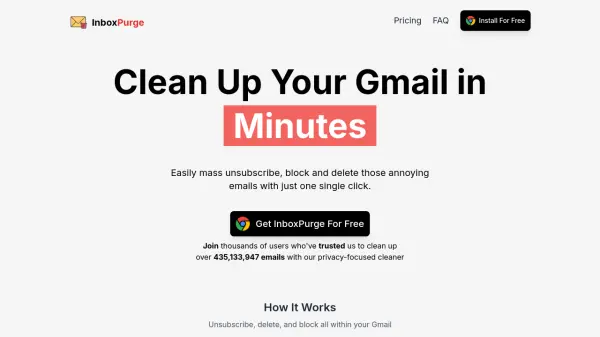
InboxPurge is a privacy-focused Chrome extension designed to simplify Gmail inbox management. By leveraging intelligent features, users can quickly mass unsubscribe, delete unwanted emails, and organize newsletters directly within their Gmail interface. InboxPurge streamlines the process of handling email clutter, enabling swift actions that reclaim productivity and restore order to any inbox without leaving your webmail workflow.
This tool operates securely within your browser using the Gmail API and ensures that personal emails and data remain on your device. With its fast installation and user-friendly design, InboxPurge empowers individuals and professionals to efficiently manage email overload, reduce spam, and keep their Gmail tidy while maintaining strict privacy standards.
Features
- Bulk Unsubscribe: Unsubscribe from multiple email lists and senders with a single click.
- Mass Delete: Instantly clear large volumes of unwanted emails in seconds.
- One-Click Blocking: Easily block recurring unwanted senders directly from Gmail.
- Newsletter Digest: Organize newsletters into an easy-to-read, curated summary.
- Sidebar Integration: Manage all cleanup actions via a sidebar embedded in Gmail.
- Privacy Focused: Emails and data never leave your device; operates solely within your browser.
- Unlimited Accounts: A single license cleans up unlimited Gmail accounts.
- Free Forever Tier: Basic features available for free with limited monthly actions.
- Quick Installation: Add to Gmail in seconds with seamless Chrome integration.
Use Cases
- Effortlessly unsubscribe from unwanted newsletters and marketing communications.
- Bulk delete thousands of spam or obsolete emails from your Gmail inbox.
- Organize and summarize newsletters for more efficient reading.
- Quickly block persistent spam senders.
- Maintain a clean and organized Gmail account to improve productivity.
- Rapidly clean multiple Gmail accounts through a single dashboard.
FAQs
-
How does the InboxPurge Chrome extension ensure my privacy?
InboxPurge operates entirely within your browser, ensuring your emails never leave your device. No data is sold or shared with third parties. -
Does InboxPurge work with email providers other than Gmail?
Currently, InboxPurge is exclusively compatible with Gmail, though future support for additional providers is planned. -
Can I use a single license for multiple Gmail accounts?
Yes, a single license allows you to manage and clean up an unlimited number of Gmail accounts. -
Can I use InboxPurge without a license?
Yes, the free forever plan enables limited monthly actions without a license. Unlimited features require BASIC or PRO licenses. -
Will InboxPurge work on mobile devices?
Currently, InboxPurge is a Chrome extension designed for desktop use. Mobile compatibility is being explored for the future.