What is Govern 365?
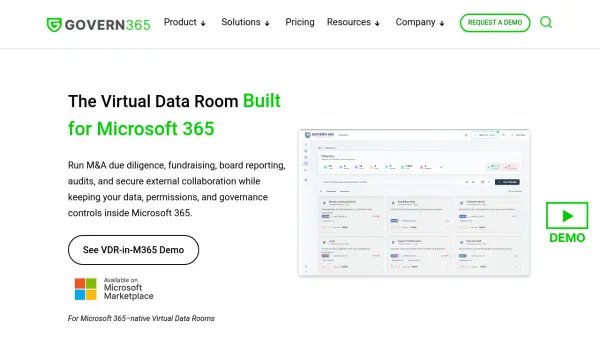
Govern 365 is a virtual data room (VDR) solution designed to run entirely inside your existing Microsoft 365 tenant. It replaces traditional VDR platforms that host your data on external clouds, charge per page, and impose complex user licensing. With Govern 365, every file, permission, and audit log stays within your Microsoft 365 environment, leveraging Entra ID for identity, Purview for protection, and SharePoint for storage. This approach eliminates data exfiltration to vendor clouds and provides full data sovereignty.
The platform offers VDR-grade controls including role-based access, dynamic watermarking, DRM protection, and immutable audit trails. It supports a wide range of use cases such as M&A due diligence, capital fundraising, board reporting, and supply chain data protection. Govern 365 uses flat-rate pricing per active data room with unlimited users and unlimited storage, resulting in significant cost savings compared to legacy VDR providers. Deployment is automated, enabling teams to launch secure deal rooms in minutes rather than weeks.
Features
- Native Microsoft 365 Integration: Operates entirely within your Microsoft 365 tenant, leveraging existing infrastructure and licenses.
- Unlimited Users and Storage: All plans include unlimited users and unlimited storage with no per-page fees.
- Flat-Rate Pricing: Predictable annual fee based on number of active VDRs, not pages or users, eliminating surprise costs.
- Immutable Audit Trails: Every action is logged with page-level analytics for document engagement tracking.
- Dynamic Watermarking and DRM: Protect sensitive documents with dynamic watermarking and digital rights management.
- Role-Based Access Control: Granular permissions for internal and external users with role-based access.
- Vault Portal: Secure brokered access for external guests without requiring Microsoft 365 licenses.
- Redaction and Q&A: Redact sensitive information and manage questions and answers within the VDR.
- Automated Provisioning: Launch secure deal rooms in minutes with automated setup and templates.
- Comprehensive Compliance: Maintain compliance with immutable logs, access reporting, and centralized oversight.
Use Cases
- M&A Due Diligence
- Capital Fundraise
- Board Reporting
- Supply Chain Data Protection
- Audit and Records Management
- RFQ Process
FAQs
-
Does my data stay inside Microsoft 365?
Yes. All your files, permissions, and audit logs remain inside your Microsoft 365 tenant. No data is hosted on third-party VDR platforms, ensuring full control and compliance. -
How does Govern 365 pricing compare to traditional VDRs?
Govern 365 uses a predictable flat-fee model per room, not per page or per user. There are no archive fees or licensing costs beyond your Microsoft 365 subscription, which can save 60–85% compared to legacy VDR providers. -
Can external parties participate without Microsoft 365 licenses?
Yes. External users can securely access rooms via guest access without needing full Microsoft 365 licenses, while your data remains fully protected and under your control. -
What is the Jumpstart fee?
The Jumpstart fee is a one-time onboarding charge covering initial tenant configuration, VDR template deployment, permission setup, and admin training. It is $149 for Founder, Team, and Growth editions; $4,995 for Corporate; and $10,000 for Enterprise. -
How quickly can we launch a secure deal room?
Rooms can be launched in minutes, not weeks. Automated provisioning eliminates complex setup, enabling your team to start collaborating immediately with complete control.