Forecast calls compress a quarter of pipeline movement into ninety minutes. Regional leaders arrive with inconsistent slide decks; leadership asks for risks that were obvious in CRM fields nobody updated.
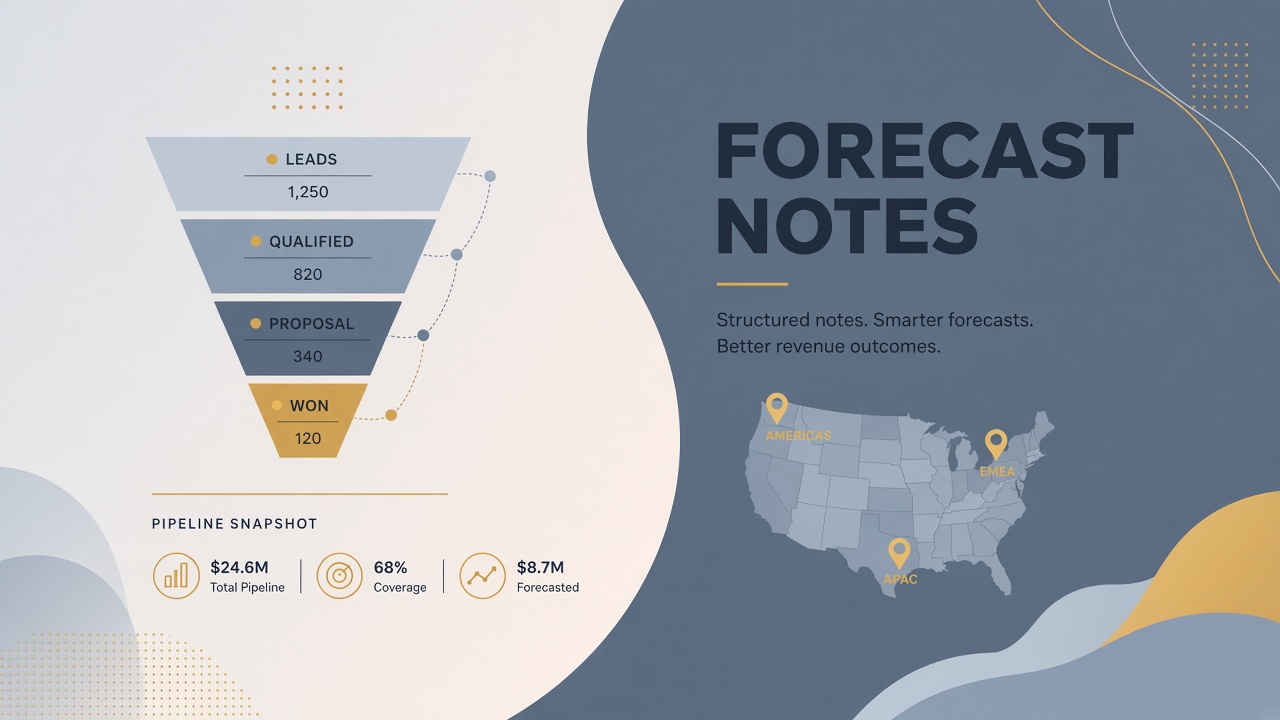
An ai workflow revenue ops forecast exports pipeline and activity data, drafts regional summaries, flags deal risks and hygiene issues, and publishes to the leadership readout doc after RevOps review. Pipeline truth lives in CRM; AI drafts narrative glue. Use AI video recordings of forecast calls with AI transcription when verbal commitments need cross-check against CRM fields.
Export Pipeline and Activity Data
Pull a standardized CRM export with stage, amount, close date, owner, next step, and activity timestamps before any summarization prompt. AI cannot invent pipeline; it interprets exports RevOps validates as current.
Define the export snapshot time (e.g., Tuesday 6 AM regional time before Wednesday forecast call). Late commits after snapshot get a manual addendum section, not silent CRM overwrites in the readout doc.
- Opportunity export: ID, name, stage, amount, probability, close date, region, segment
- Activity export: Last meeting, emails, tasks completed, stale days since touch
- Forecast category: Commit, best case, pipeline per your sales methodology
- Hygiene fields: Missing next step, past close date, zero activity 14+ days
- YoY compare: Same week prior quarter for velocity context
| Export field | Why it matters | Hygiene flag trigger |
|---|---|---|
| Close date | Quarter attribution | Date in past, stage not closed |
| Stage | Forecast weighting | Stage regression without note |
| Amount | Roll-up math | Zero or duplicate opps same account |
| Next step | Deal momentum signal | Blank on commit deals |
| Last activity | Stale risk | No touch 21+ days on commit |
Export discipline
- Store export files with snapshot ID in shared drive or data warehouse
- Redact fields not needed for forecast narrative before external model upload if policy requires
- Reconcile export totals to CRM dashboard before prompting; mismatches indicate filter errors
Segment exports by product line when leadership reviews separate P&L owners. Rolling everything into one export forces RevOps to manually split narratives and invites double-counting when multi-product deals span lines. Snapshot IDs should encode segment filters so week-over-week comparisons use identical scope.
Draft Regional Forecast Summaries
AI drafts one summary per region: commit vs plan, top five deals, slippage since last week, and new pipeline created. RevOps editors verify numbers against export, not against model memory.
Prompt structure matters. Provide region name, quarter target, commit total, gap to target, and table of top deals by amount. Ask for bullet narrative suitable for executive readout, not rep-level coaching tone.
Standard summary sections
- Headline: On track, at risk, or behind with one-sentence why
- Commit walk: Net change in commit ARR since prior snapshot
- Top deals: Name, amount, stage, risk note from CRM fields only
- Slippage: Deals pushed out with documented reason if present in CRM
- New pipeline: Created ARR and count vs same week prior quarter
- Generate draft per region from same snapshot ID
- Regional sales leader edits narrative; does not change numbers without CRM update
- RevOps consolidates into single doc template with consistent headings
- CFO or sales ops reviews commit math before leadership call
Transcripts from forecast calls supplement drafts when reps verbalize risks not yet in CRM. Transcription summaries propose CRM field updates; owners confirm updates post-call.
New-logo vs expansion splits belong in every regional summary when board metrics track them separately. AI drafts should tag each top deal as new or expand using CRM opportunity type fields, not narrative guesswork. When type fields are blank, flag for cleanup rather than inferring from deal name patterns.
Flag Deal Risks and Data Hygiene Issues
Run hygiene rules and risk heuristics on the export to produce a flagged-deal appendix RevOps sends to owners before the call. Fixing CRM in the meeting wastes executive time; pre-call flags drive cleanup.
| Flag type | Rule | Owner action |
|---|---|---|
| Stale commit | Commit category, no activity 14 days | Update activity or downgrade category |
| Past close | Close date before today, open stage | Close won/lost or push date |
| Single-threaded | One contact on enterprise opp | Add contacts or risk note |
| Amount outlier | 3x median deal size segment | Validate amount and approval |
| Duplicate opps | Same account, same product line | Merge or split with manager |
Risk flags are suggestions tied to export rows. RevOps does not auto-change CRM stages. Sales leadership uses the appendix as a pre-call homework list.
Risk narrative vs data
AI may draft risk sentences for flagged deals using only CRM note fields and activity subjects. If notes are empty, output "insufficient CRM context" rather than speculative competitor threats. Honest gaps encourage better hygiene next week.
Publish to Leadership Readout Doc
Assemble verified regional summaries, hygiene appendix, and quarter-to-date metrics into one leadership readout with snapshot metadata and editor sign-off. The doc is the meeting artifact; CRM remains system of record.
- Template: Fixed sections: executive summary, regional breakdown, risks, hygiene status, actions
- Snapshot block: Export ID, timestamp, CRM filter definition, FX rates if multi-currency
- Charts: Link to live dashboard; static images optional with as-of caption
- Action log: Decisions from prior week and completion status
- Sign-off: RevOps lead name, regional leaders acknowledged edits
Distribute readout 24 hours before the forecast call when possible. Live call time shifts to decision-making, not first exposure to numbers. Post-call, log CRM corrections as tasks with owners and due dates.
Track forecast accuracy by comparing commit at snapshot to closed-won outcomes end of quarter. RevOps reviews which hygiene flags correlated with slips. Over time, tighten rules for fields that predicted misses, such as blank next step on commit deals, without adding bureaucracy to healthy pipeline.
Readout access controls
- Restrict doc to revenue leadership and ops; deal-level detail may include customer names
- Do not paste readout into external AI tools without data policy review
- Archive readouts by quarter for board prep and historical forecast accuracy analysis
Compare commit at start of quarter to commit at snapshot each week in a simple waterfall appendix. AI can draft the waterfall narrative from export diffs: new commit added, slipped out, downgraded, closed won. RevOps verifies arithmetic before publish. Waterfalls make forecast accuracy retrospectives faster when the board asks what changed between week four and week eight.
Frequently Asked Questions
How do multi-currency pipelines affect summaries?
Convert to corporate reporting currency in CRM or a governed spreadsheet before export. Document FX rate source and date in the snapshot block. AI should not convert currencies from memory; single-currency totals in the readout prevent executive math errors.
What about channel partner or reseller pipeline?
Separate partner-sourced opps in export filters. Summaries call out direct vs indirect commit mix. Hygiene rules may differ when partner updates lag; flag "partner-reported" deals with longer stale thresholds only if policy allows, and document the exception.
Can AI predict close probability better than reps?
Use historical won/lost analysis offline with data science oversight if desired. Do not replace rep forecast categories in the weekly readout with black-box scores without change management. This workflow focuses on narrative and hygiene from CRM truth, not autonomous forecasting.
What if verbal forecast disagrees with CRM?
Readout shows CRM numbers. Verbal overrides get logged as action items to update CRM by end of day. Repeated mismatches escalate to sales ops and regional VP; AI does not arbitrate.
Can the same workflow feed board materials?
Yes, with an additional aggregation pass and redaction of rep-level commentary. Board decks use quarter-level metrics and top ten deal summaries, not full hygiene appendices. Archive the leadership readout as source; do not regenerate board numbers from a separate AI prompt that might drift from verified exports.
Narrative Speed, CRM as Source of Truth
Revenue ops forecast workflows gain time by drafting regional summaries and hygiene flags from disciplined CRM exports. Leadership readouts stay accurate when humans verify every number and fix data before the call. Pipeline truth remains in CRM; the readout explains what changed and what needs action.