What is GoBrunch?
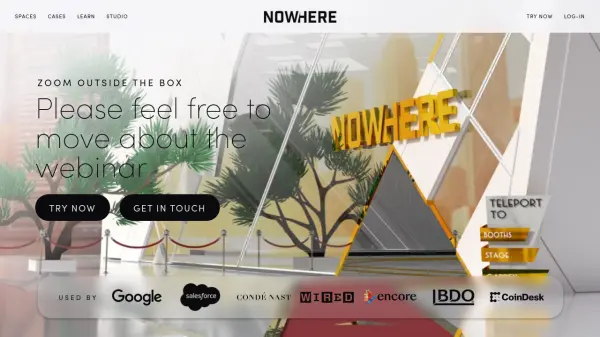
GoBrunch is an interactive platform that enables businesses, educators, and community leaders to create fully customized virtual offices, meeting rooms, and event spaces without downloads or time limits. With capabilities encompassing video conferencing, asynchronous content sharing, and multiple room management, users can design unique online environments tailored to their branding.
The platform supports collaboration through real-time discussions, screen sharing, cloud recording, breakout rooms, and productivity tools like Pomodoro clocks, all within a visually immersive setting. GoBrunch caters to a range of needs, from co-working and virtual offices to webinars and community events, prioritizing engagement and continuous accessibility for distributed teams and communities worldwide.
Features
- No Download Required: Seamless access via browser without installations
- Unlimited Virtual Room Duration: Host events, meetings, or offices for any length of time
- Multiple Customizable Rooms: Create breakout spaces, meeting rooms, and lounges
- Cloud Recording: Securely record sessions and share them with a single click
- Branding and Customization: Personalize spaces with logos, colors, domains, and embeddable elements
- Multiple Screen Sharing: Enable concurrent sharing by different participants
- On-demand Video Player: Share and view pre-recorded content within rooms
- Broadcast to All Rooms: Instantly communicate messages or media across multiple rooms
- Engaging Avatars and Interactive Features: Use virtual avatars, animated gifs, and virtual seats
- Integrated Productivity Tools: Enhance focus with tools like Pomodoro clocks inside rooms
Use Cases
- Setting up a permanent virtual office for remote teams
- Running immersive online events, workshops, and webinars
- Creating branded virtual community hubs for member engagement
- Hosting live and on-demand training sessions
- Facilitating group collaboration using breakout spaces and multiple rooms
- Asynchronous learning and resource sharing for educational institutions
FAQs
-
What is GoBrunch suitable for?
GoBrunch is ideal for building virtual spaces for communities and offices, allowing for activities such as meetings, webinars, events, workshops, showcases, and sharing live or on-demand content. -
What differentiates GoBrunch from other platforms?
GoBrunch offers an immersive and interactive virtual environment, supports around-the-clock access, allows extensive branding, and enables asynchronous engagement with features such as customizable rooms and on-demand content. -
Is there a free version of GoBrunch?
Yes, GoBrunch provides a free version with essential features and no time limit, while paid plans offer additional customization and advanced options. -
How many participants can join a virtual room?
The maximum participant capacity in the highest plan is 600 per room, while the free plan supports up to 6 participants per room. -
Do participants need to install any software to use GoBrunch?
No installation is required; GoBrunch works directly in web browsers for convenient usage without downloads for both hosts and attendees.