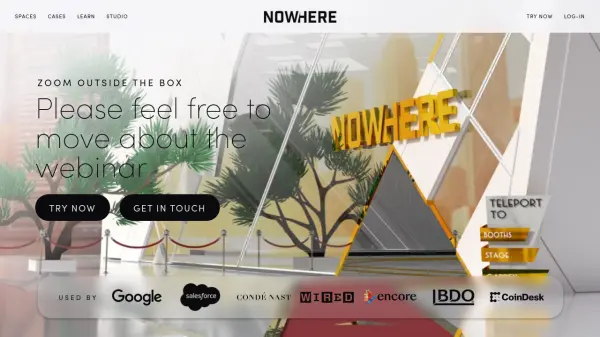
What is NOWHERE?
NOWHERE provides a video chat platform enabling fluid movement between conversations, activities, and events within beautiful 3D virtual spaces. It offers instant immersive meetings with spatial audio and video, allowing users to host everything from small team gatherings to large-scale events without downloads, accessible via web, mobile, or VR.
The platform supports screen sharing, live streaming, interactive Q&A, gamified experiences, and custom world uploads, with features like moderation tools, analytics, and white-label integration. It aims to create engaging, human-centered online interactions that foster community and connection.
Features
- Spatial Audio and Video: Enables natural sound positioning for realistic interactions in 3D spaces
- Customizable 3D Spaces: Offers templates and upload options for personalized virtual environments
- Live Streaming and Screen Sharing: Supports HLS live streaming and screen sharing for presentations and broadcasts
- Interactive Tools: Includes Q&A, gamified experiences, and moderation features for engaging events
- No Download Required: Accessible via web, mobile, and VR without software installation
Use Cases
- Hosting virtual conferences and trade shows with interactive networking
- Conducting team meetings and training sessions in immersive 3D environments
- Organizing social events like happy hours, birthday parties, or comedy shows
- Streaming webinars and live performances with audience interaction
- Creating gamified experiences for team-building or entertainment
FAQs
-
What types of events can I host with NOWHERE?
NOWHERE supports a wide range of events including town halls, training sessions, conferences, festivals, live comedy, networking events, birthday parties, and memorials—essentially any gathering of people. -
Do I need to install any software to use NOWHERE?
No, NOWHERE requires no downloads. It works directly in a web browser with an internet connection, though a webcam, microphone, and headphones are recommended for the best experience. -
Is NOWHERE compatible with mobile devices?
Yes, NOWHERE supports mobile devices released in the past five years, but for the most immersive experience, using a computer with the Chrome browser and headphones is recommended. -
How does spatial audio work in NOWHERE?
Spatial audio mimics real-life sound: people closer to you are louder, and sound direction corresponds to their position (e.g., left or right), making interactions feel natural. -
Can I host large-scale events with NOWHERE?
Yes, NOWHERE can host large events by linking multiple spaces together, supporting thousands of attendees with features like live streaming and premium capacities.