

What is Free Virtual Keyboard?
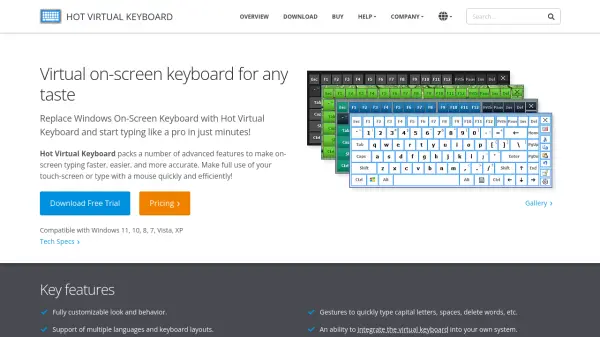
Free Virtual Keyboard is a versatile on-screen keyboard application designed for Windows-based PCs with touchscreen capabilities, including Surface Pro, Tablet PC, and Panel PC devices. It provides a finger-friendly typing experience with large keys, making it ideal for users who find hardware keyboards awkward or too small, such as when responding to emails or taking notes on mobile computers.
The software offers extensive customization options, allowing users to adjust the size, color, and transparency of the keyboard with a single click. It features an auto-repeat function for continuous character input and supports both landscape and portrait orientations in full-screen mode. As a portable application, it can run directly from a USB flash drive, ensuring accessibility wherever needed. Additionally, it serves as an assistive tool for people with mobility impairments by enabling data input through pointing devices.
Features
- Multilingual Support: Offers keyboards in multiple languages including English, German, Spanish, Italian, French, Portuguese, Dutch, and Russian
- Customizable Appearance: Allows users to change size, color, and transparency of the keyboard with one click
- Portability: Can be run directly from a USB flash drive without installation
- Auto-Repeat Function: Automatically repeats characters when keys are held down continuously
- Accessibility Features: Enables typing for people with mobility impairments using pointing devices
- Full-Screen Compatibility: Automatically resizes to fit screen width in both landscape and portrait orientations
Use Cases
- Typing on touchscreen Windows devices like Surface Pro or Tablet PCs
- Assisting users with mobility impairments in data input
- Portable typing solution from USB drives for on-the-go use
- Customizing keyboard appearance for better visibility or personal preference
- Multilingual typing for international communication
FAQs
-
What operating systems does Free Virtual Keyboard support?
It supports Microsoft Windows 11, 10, 8.1, 8, 7, Vista, and XP. -
Can I use Free Virtual Keyboard without installing it?
Yes, it is a portable application that can run directly from a USB flash drive. -
How do I customize the keyboard's appearance?
You can change the size, color, and transparency of the keyboard with one click at any time. -
What languages does Free Virtual Keyboard support?
It supports English, German, Spanish, Italian, French, Portuguese, Dutch, and Russian. -
Is Free Virtual Keyboard suitable for users with disabilities?
Yes, it allows people with mobility impairments to type data by using a pointing device.