What is Keyboard Tester Pro?
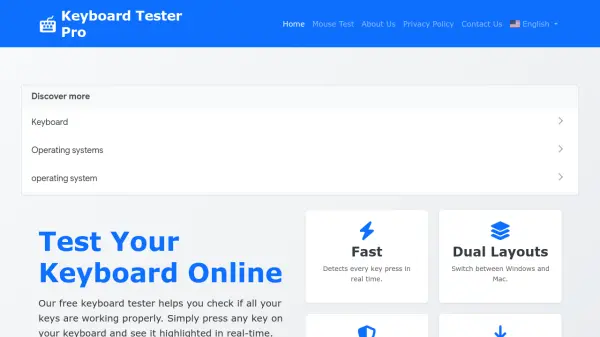
Keyboard Tester Pro is an online diagnostic tool designed to help users test keyboard functionality across various devices and operating systems. It provides immediate visual feedback by highlighting pressed keys on a virtual keyboard display, allowing users to identify non-functioning keys, detect ghosting issues, and verify key registration. The tool supports multiple keyboard layouts, including Windows, Mac, and international variants, and works with USB, PS/2, Bluetooth, and built-in laptop keyboards without requiring software installation.
Users can select their keyboard type and layout to begin testing, with features like keystroke counter and history to track key responses. The tool helps diagnose hardware issues, validate new purchases, and troubleshoot problems after repairs or spills, ensuring optimal keyboard performance for typing, gaming, and other computer tasks. It is compatible with major browsers and operating systems, offering a safe and accessible solution for keyboard testing needs.
Features
- Multiple Keyboard Layouts: Switch between Windows, Mac, and international layouts to test specific keys and special characters
- Real-time Visual Feedback: Immediate highlighting of pressed keys with different colors for easy identification of non-functioning keys
- Keystroke Counter and History: Track all keys pressed during a session to monitor key responses and identify inconsistent registration
- No Software Installation: Test keyboards directly in a web browser without downloads or additional software
- Compatibility: Works with various connection types including USB, PS/2, Bluetooth, and built-in laptop keyboards across multiple operating systems
Use Cases
- Diagnose hardware issues with specific keys on a keyboard
- Verify key registration and functionality after keyboard repairs or cleaning
- Test new keyboard purchases to ensure all keys work properly
- Detect ghosting problems by checking multiple simultaneous keypresses
- Troubleshoot driver or software issues affecting keyboard recognition
- Validate keyboard performance after liquid spills or accidents
FAQs
-
What types of keyboards are compatible with Keyboard Tester Pro?
Keyboard Tester Pro works with virtually any keyboard that connects to a computer, including built-in laptop keyboards, external USB keyboards, wireless keyboards, and specialized keyboards, across Windows, macOS, and Linux operating systems. -
How does the tool help with keyboard ghosting issues?
The tool includes an advanced ghosting test that allows users to check if their keyboard properly registers multiple simultaneous keypresses, which is crucial for gaming keyboards to ensure accurate input during fast-paced activities. -
Is there any data collection or storage during keyboard testing?
No, Keyboard Tester Pro is safe and does not collect or store any data during testing sessions, ensuring user privacy and security while using the tool. -
Can I use this tool on mobile devices or tablets?
The tool is primarily designed for desktop and laptop keyboards connected to computers; it may not be optimized for mobile device keyboards due to differences in input methods and layouts. -
What should I do if a key is not registering during the test?
If a key does not register, it may indicate a hardware issue; users can try cleaning the key, checking connections, updating drivers, or consulting a hardware specialist for further troubleshooting or repair.