
What is ForecastAI?
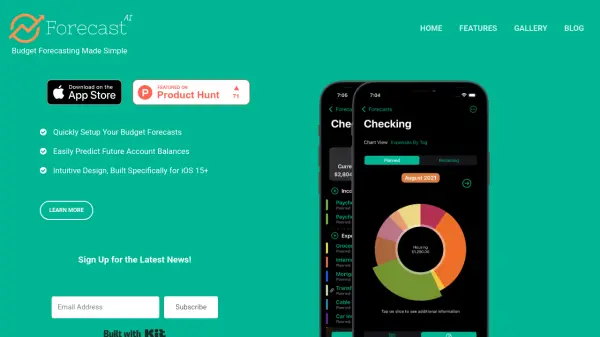
ForecastAI offers a streamlined approach to budget forecasting, designed specifically for iOS 15+ devices. It provides users with comprehensive visibility into their accounts, including current balances and future predictions, eliminating the need for complex spreadsheets or convoluted apps. The tool enables easy tracking of income and expenses through customized categories, helping users stay on track with savings and financial goals.
With its intuitive design, ForecastAI allows users to quickly identify account balance trends and assess how unexpected expenses might impact their financial future. Data synchronization across devices ensures that users don't miss any updates, making financial management more accessible and efficient.
Features
- Account Visibility: Full visibility into current and predicted account balances
- Customized Categories: Track income and expenses using personalized categories
- Financial Goals: Stay on track with savings and financial objectives
- Trend Analysis: Easily identify account balance trends
- Impact Assessment: Quickly see how unexpected expenses affect financial future
- Data Synchronization: Data is synchronized between devices for consistency
- Intuitive Design: Built specifically for iOS 15+ with user-friendly interface
Use Cases
- Personal budget forecasting and financial planning
- Tracking income and expenses to manage monthly budgets
- Monitoring savings goals and financial progress
- Assessing the impact of unexpected expenses on future finances
- Managing account balances across multiple devices