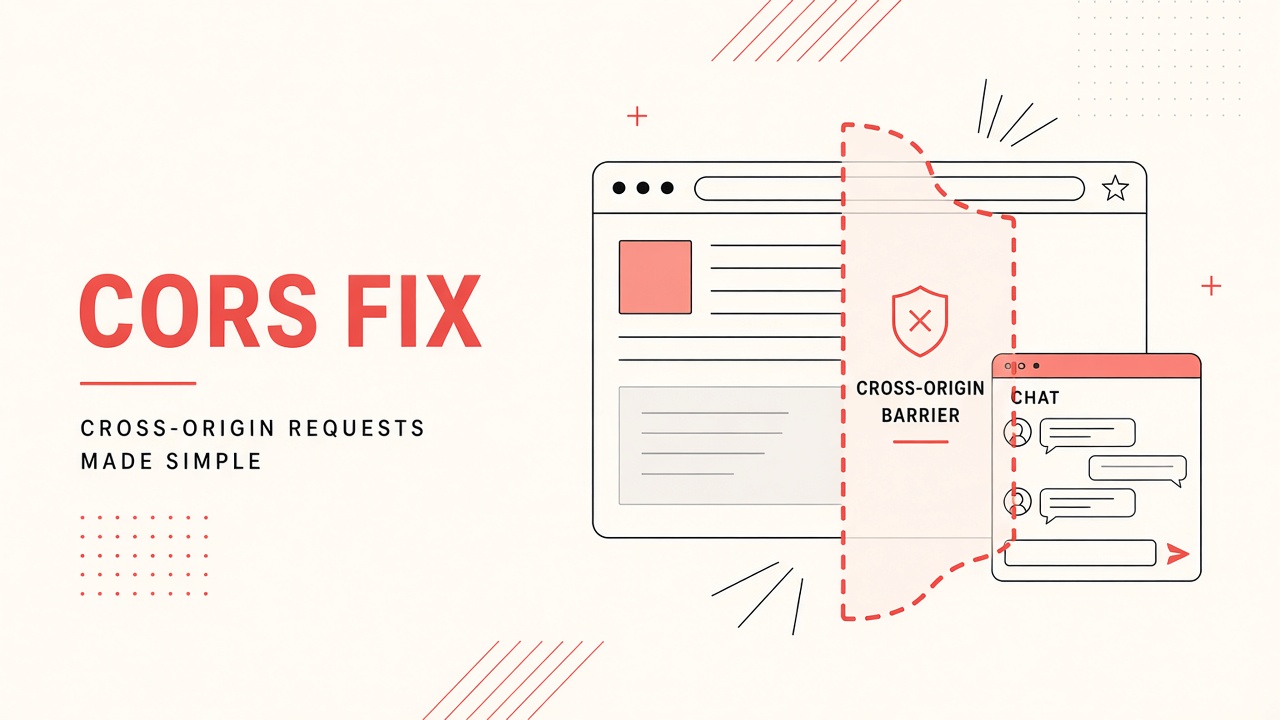
The chat bubble never loads. The browser console shows blocked by CORS policy or ai widget cors error on a preflight request. Your API key works in curl, but the embedded widget on your marketing site fails. Cross-Origin Resource Sharing is a browser security gate, not an API bug. Fixing it means aligning the page origin with the vendor allowlist and matching credential settings end to end.
This guide covers embedded AI widgets, iframe chatbots, and JavaScript SDKs that call vendor APIs from your domain. Teams deploying AI chatbot widgets alongside AI transcription or voice features on the same site often hit CORS on one product but not another because each vendor configures origins separately.
Allowed Origins in the Vendor Dashboard
Add every production and staging origin to the vendor allowlist before testing the embed.
The allowlist is usually under Security, Domains, or Embed settings. Enter the full scheme and host:
https://www.example.com, not bare example.com. Wildcards like
https://*.example.com are supported on some platforms and rejected on others.
Common mistakes include listing only the apex domain while the site runs on www, forgetting
preview deployments on Vercel or Netlify subdomains, and adding paths when only origins matter. CORS
compares scheme, host, and port. https://app.example.com:443 and
http://app.example.com are different origins.
| Symptom | Likely cause | Fix |
|---|---|---|
| No Access-Control-Allow-Origin | Origin not on allowlist | Add exact browser origin in dashboard |
| Origin present but still blocked | Credentials mismatch | Set credentials mode consistently |
| Works on one subdomain only | Partial wildcard coverage | List each subdomain explicitly |
| OPTIONS 403 or 404 | Proxy strips preflight | Forward OPTIONS; do not cache preflight wrongly |
After saving allowlist changes, hard-refresh the page or open a private window. Some CDNs cache error responses. Document which engineer owns the vendor project; marketing cannot fix CORS without dashboard access. For multi-brand companies, one widget key per brand with separate origin lists avoids accidental over-permissioning.
Credentials and Cookie Settings
When the widget uses cookies or session tokens, both the browser fetch and the server response
must opt into credentials. Client code with credentials: 'include' requires the
server to return Access-Control-Allow-Credentials: true and a specific
Access-Control-Allow-Origin value. Wildcard * is forbidden with credentials.
Third-party cookie deprecation in Chrome and Safari affects embedded widgets that relied on cross-site
cookies for identity. Prefer first-party proxy routes: your backend at /api/chat calls the
vendor with a server-side key, and the browser only talks to your domain. That pattern eliminates most
embed CORS pain and keeps secrets off the client.
If the vendor requires cookie-based SSO for logged-in users, confirm SameSite attributes. Cookies set
with SameSite=Strict will not ride on cross-origin widget requests. Lax or
None; Secure may be required for embedded contexts. Security review should approve any
relaxation.
Public API key vs server proxy
Some vendors issue publishable keys meant for browser embeds with origin restrictions. Others forbid browser exposure entirely. Read the integration guide: using a secret key in frontend JavaScript is a security incident even if CORS passes. The correct architecture for restricted keys is always a thin backend proxy that validates user sessions before forwarding requests.
Reverse Proxy Header Forwarding
Reverse proxies and API gateways must forward CORS-related headers and handle OPTIONS preflight without stripping or rewriting them incorrectly. Nginx, Cloudflare, AWS API Gateway, and corporate SSL inspection appliances are frequent culprits when curl from a server works but browsers fail.
Checklist for platform teams:
- Allow HTTP OPTIONS to reach the upstream vendor or your BFF route.
- Do not cache OPTIONS responses with wrong
Access-Control-Allow-Methods. - Forward
Origin,Access-Control-Request-Method, andAccess-Control-Request-Headerson preflight. - If the proxy adds its own CORS headers, ensure they match upstream or remove duplicates that conflict.
- Verify
X-Forwarded-ProtoandX-Forwarded-Hostwhen origin validation runs server-side.
Double CORS headers (two Access-Control-Allow-Origin values) cause browsers to reject the
response. Use one layer to set CORS: either the application or the edge, not both with different values.
Temporary debug: compare response headers in Network tab against a direct vendor sandbox call.
Local Development vs Production
Local dev origins almost always differ from production and must be allowlisted separately.
Typical local origins include http://localhost:3000, http://127.0.0.1:5173, and
framework-specific ports. Some vendor dashboards cap the number of origins; use a dedicated dev project or
tenant when limits are tight.
Tunnel tools (ngrok, Cloudflare Tunnel) generate new hostnames each session unless you pay for reserved subdomains. Add the tunnel URL to the allowlist when testing embeds against remote stakeholders. CI preview URLs from pull requests should use a stable preview domain pattern if the vendor supports wildcard subdomains on a known suffix.
Environment parity reduces surprises. Keep a spreadsheet mapping environment, public origin, vendor project ID, and embed script version. When production breaks after a deploy, compare whether the new canonical URL (apex vs www, HTTP to HTTPS redirect) changed the origin string the browser sends.
Iframe embed vs script embed
Iframe widgets load content from the vendor origin; parent page CORS may not apply to iframe document loads, but postMessage bridges and parent-page API calls still do. Script embeds inject JS that fetches directly from vendor APIs and trigger full CORS rules. Know which pattern your chatbot product uses before debugging the wrong layer.
Diagnostic Workflow for CORS Failures
Work top down. Confirm the failing request URL and method in DevTools Network tab. Identify whether failure
is on preflight OPTIONS or the actual POST. Copy the Origin request header value character
for character into the vendor allowlist. Toggle credentials off in a test branch to see if error message
changes. Reproduce from minimal HTML page with only the embed snippet to rule out other scripts
intercepting fetch.
Server-side reproduction with curl does not trigger CORS; use curl only to verify API health, not CORS policy. Browser extensions that block trackers sometimes block widget domains; test in clean profile. Corporate proxies may inject headers; compare on home network if internal users alone report failures.
Security and Least Privilege
Avoid setting allowlist to * on production keys. Rotate embed keys when marketing agencies
rotate. Remove stale preview domains after campaigns end. Audit quarterly: exported allowlist vs live DNS
for your brand. CORS is not authentication; it only relaxes browser same-origin policy for listed sites.
Always validate sessions and rate limits on your proxy.
Preflight and Custom Headers
Non-simple requests trigger an OPTIONS preflight that must succeed before the real request runs.
Adding custom headers such as X-API-Key, Authorization, or vendor-specific
correlation IDs counts as non-simple. The preflight response must list those header names in
Access-Control-Allow-Headers. Missing one header name produces a console error that blames
CORS generically while the root cause is a single omitted allow-header entry.
HTTP methods beyond GET, HEAD, and POST also trigger preflight. PATCH and DELETE from browser JavaScript
need explicit Access-Control-Allow-Methods on the OPTIONS response. Some older widget SDKs
default to POST with JSON bodies, which is fine, but newer SDKs that use PATCH for session updates will
fail until methods are allowlisted server-side.
Content Security Policy interactions
Content Security Policy is separate from CORS but produces similar "widget does not load" symptoms. If
connect-src omits the vendor API host, fetch fails before CORS headers matter. If
script-src blocks the embed script domain, the bubble never initializes. When debugging,
temporarily relax CSP in staging only to classify whether failure is CSP, CORS, or network. Document
required CSP directives alongside CORS origins in your integration runbook.
Implementation Patterns That Avoid CORS
The durable pattern for production embeds is a same-origin backend route. Your page at
https://www.example.com calls https://www.example.com/api/assistant/message.
Laravel, Express, or Cloudflare Workers forward to the vendor with server-held credentials. Browsers never
cross origins for the sensitive call. Latency adds one hop, but caching, logging, and PII redaction happen
on infrastructure you control.
When you must use direct browser-to-vendor calls for latency or vendor architecture, treat the allowlist as production configuration managed by IaC or a secured admin UI. Pull requests that add new marketing domains should require security review. Pair each origin with the embed key scoped to that origin so a leaked key from a sandbox site cannot be replayed from an attacker domain unless that domain is also allowlisted.
The Bottom Line
An ai widget cors error is solved by matching the browser Origin header to vendor allowlist entries, aligning credentials on client and server, and ensuring proxies forward OPTIONS correctly. Local and preview environments need the same discipline as production. When blocks persist, move API calls behind a same-origin proxy and keep embed keys publishable-only with tight origin scope.
Frequently Asked Questions
Do I need to add every subdomain separately?
Usually yes unless the vendor documents a supported wildcard pattern. https://docs.example.com
and https://www.example.com are distinct origins. Add each subdomain you embed on, or route
all embeds through one canonical host that is allowlisted.
Why does CORS work in production but fail on preview URLs?
Preview deployments use different hostnames not yet on the allowlist. Add the preview domain pattern or use
a server proxy on a domain already approved. Some teams use a single preview.example.com with
path-based routing to avoid dozens of origins.
Can I fix CORS by moving the API key to a header only?
Custom headers often trigger preflight OPTIONS, which must also succeed. The key placement does not bypass origin checks. Server-side proxy remains the robust fix when secrets must stay off the client.
Widget shell loads but messages fail with CORS?
Static assets may come from a CDN on an allowed domain while chat API calls hit a different API host with a shorter allowlist. Add both hosts or unify through one API gateway documented by the vendor.
Does transcription upload use the same CORS rules as chat?
Browser-based audio upload to vendor storage is a separate endpoint with its own CORS config on many platforms. Fixing chat embed origins does not automatically fix transcription upload URLs. Check Storage or Media API settings in the same dashboard.