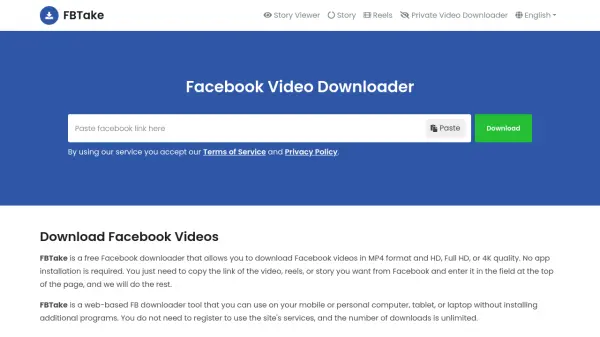
What is FBTake?
FBTake is a web-based Facebook downloader tool that allows users to download Facebook videos, reels, stories, and private videos in MP4 format with HD, Full HD, or 4K quality. The tool operates directly through a web browser on mobile devices, personal computers, tablets, or laptops without requiring any additional program installations. Users do not need to register to access the service, and there are no limits on the number of downloads.
The process involves copying the link of the desired Facebook content, pasting it into the FBTake website, and selecting the preferred quality for download. The tool supports anonymous viewing and downloading of Facebook stories, ensuring privacy by not notifying the content owner. FBTake does not store or host downloaded videos, as they remain on Facebook servers, and user download history is not saved.
Features
- Fast Processing: Converts and downloads Facebook videos in the shortest possible time
- Completely Free: No charges for downloading Facebook videos
- Cross-Platform Compatibility: Works on Android, iPhone (iOS), and personal computers (Windows, Linux, etc.)
- Easy to Use: No plugin or application installation required; just copy and paste the Facebook video URL
- Anonymous Story Viewer: Allows viewing and downloading Facebook stories without notifying the owner
Use Cases
- Downloading Facebook videos for offline viewing
- Saving Facebook reels in high-quality MP4 format
- Downloading and storing Facebook stories before they expire
- Viewing Facebook stories anonymously
- Downloading private Facebook videos with proper access
FAQs
-
How to download a Facebook video on iPhone/iPad?
On the Facebook app, go to your desired video, tap on the share button, and then select Copy link. Open your web browser and navigate to FBTake.com, paste the copied URL into the address field on the top of this page, and tap on the Download button. Wait for a while until the video is ready to download; then, you can download the video in the quality of your choice. Go to this path to view the downloaded video Files: app ~> iCloud Drive ~> Downloads folder. -
Where are Facebook videos saved after download?
It depends on your browser, but the videos are usually saved in the Downloads folder. You can go to your browser settings and view or change the default path of downloads. If you are using a personal computer, you can press Ctrl + J keys to view your download history. You can also refer to the Downloads section in mobile browsers to view the download history. -
How can I download Facebook videos to my PC?
Open your web browser, visit Facebook's official website, and find the video you want to save. Copy the page URL from your web browser address bar. Paste the copied link in the address field at the top of this page and click on the download button. -
Can I download Facebook Live videos?
Yes, when the live video is finished, you can download it. -
Does FBTake keep a copy of Facebook videos?
FBTake does not store or host downloaded videos, and Facebook servers host the videos. Users' download history is not saved, and videos are downloaded anonymously.