
Experience Layer favicon

Experience Layer
Onboard new users better, wherever they are

What is Experience Layer?

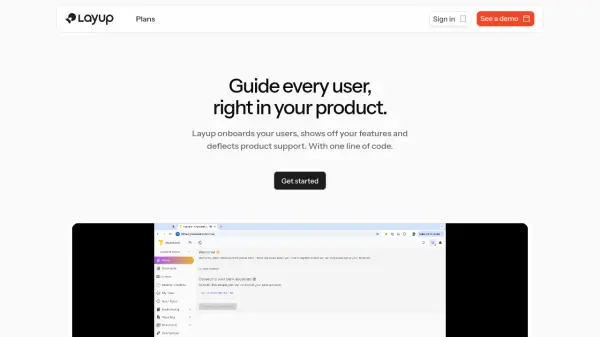
Experience Layer provides a comprehensive user onboarding solution designed to enhance product adoption and customer retention. The platform enables businesses to create guided product tours that prompt users to complete essential workflows and tasks from the start, ensuring they understand how to use the product effectively.

It helps increase feature awareness and adoption by directing users to important functionalities, which eases the workload on support teams. Additionally, Experience Layer facilitates the distribution of release notes to inform users about new features and updates within the application.

Features

  • Guided Product Tour: Prompt users to complete daily workflows and tasks from the start
  • Feature Awareness and Adoption: Point users to important features to ease support desk tasks
  • Release Notes: Spread the word about new functionality in applications

Use Cases

  • Onboarding new users to software applications
  • Promoting feature adoption within products
  • Reducing support requests through guided assistance
  • Sharing release notes and updates with users

FAQs

  • What are seats in Experience Layer?
    Seats represent how many team members can use the Experience Layer builder.
  • What is Monthly Active Users (MAU) in Experience Layer?
    Monthly active users (MAU) are the number of unique visitors reaching the page where the Experience Layer script is installed.

Related Queries

Helpful for people in the following professions

Related Tools:

Blogs:

  • Top 6 AI note-taking tools for 2026: in-person, online, and hybrid use cases

    Top 6 AI note-taking tools for 2026: in-person, online, and hybrid use cases

    Most AI note-taking lists are really lists of meeting bots, which join your video call and transcribe it. That's useful, but it's half the picture. Decisions happen in hallway conversations, client dinners, on-site visits, and hybrid rooms where nobody is on a video link. This guide covers different parts of the note-taking workflow: hardware capture for in-person settings, platform-native tools for online calls, and AI layers for organizing and synthesizing what you've captured. It compares six tools by capture context, workflow fit, pricing, and limitations.

  • Ghibli Art Generator AI tools

    Ghibli Art Generator AI tools

    List of the best AI tools to turn your photos into images that look like Studio Ghibli movies. Easy to use and fun for everyone.

  • Best AI tools for Room Design

    Best AI tools for Room Design

    Discover cutting-edge AI tools that redefine the art of room design. From layout optimization to aesthetic finesse, these top-tier tools enhance your space to new heights.

Didn't find tool you were looking for?

Be as detailed as possible for better results