
What is Enclave AI?
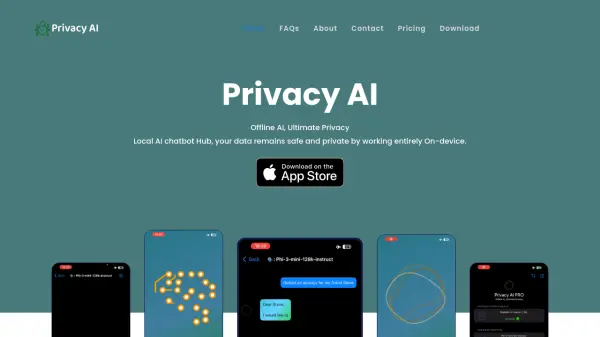
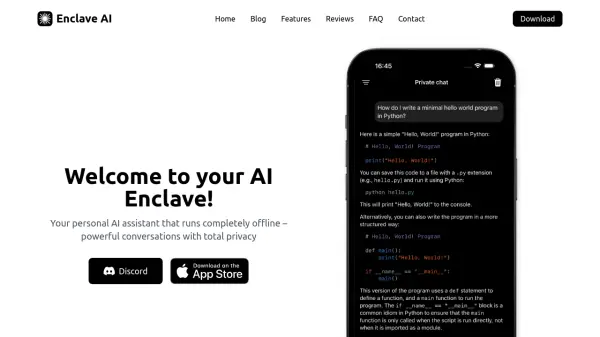
Enclave AI is a personal AI assistant designed for privacy-conscious users. The application prioritizes user data security by operating completely offline. This design ensures all interactions, including voice chats and document processing, remain on the user's device.
The application offers support for top open-source AI models. Functionalities like iMessage and Siri Integration enable the generation of AI-powered messages and Siri commands. Users can interact with their documents, including PDFs and text files. Enclave AI is available for both Mac and iPhone.
Features
- Local Voice Chat: Engage in voice conversations with the AI, processed entirely on-device.
- Top open source AI models: Access a curated selection of leading open-source AI models.
- Custom AI Assistants: Create personalized AI assistants tailored to specific needs and use cases.
- Chat with your documents: Upload and interact with documents through natural conversation.
- Shortcuts & Siri Integration: Integrate AI tasks into automation workflows using Siri voice commands.
- iMessage Integration: Access AI assistance directly within iMessage conversations.
Use Cases
- Securely brainstorming ideas with an AI.
- Generating content offline.
- Analyzing private documents without data leaving your device.
- Creating personalized AI assistants for different tasks.
- Using AI-powered communication in iMessage while maintaining privacy.
FAQs
-
Is my data private?
Yes, absolutely! All conversations happen locally on your device, and we don't collect or store any of your data. The AI model runs completely offline, which means your conversations, prompts, and any generated content never leave your device and are not shared with any third parties. -
What devices are supported?
The app is available for both Mac and iPhone. You can download it from the Mac App Store for your MacBook or desktop Mac, and from the iOS App Store for your iPhone. Both versions offer the same core privacy-focused AI experience, though with platform-specific optimizations. -
Do I need an internet connection?
You only need internet for the initial download of the app and, on macOS, for downloading additional AI models. After that, everything works completely offline! This means you can use the app anywhere, anytime - whether you're on a plane, in a remote location, or simply prefer to work without an internet connection for enhanced privacy. -
What kind of AI models does the app support?
Both iOS and macOS versions support various open-source large language models. On iOS, you can choose from models like Llama, Qwen, SmolLM, and Gemma - all optimized for mobile performance. The macOS version additionally supports larger models that take advantage of desktop computing power. All models are carefully optimized for their respective platforms to ensure smooth performance. -
Will the app drain my battery?
The app is optimized to use Apple's Neural Engine efficiently on both platforms. On iOS, you can choose from several specially optimized models that balance capabilities with power consumption. On macOS, you have additional options for larger models. All models are optimized to make efficient use of your device's resources.