What is Dropcontact?
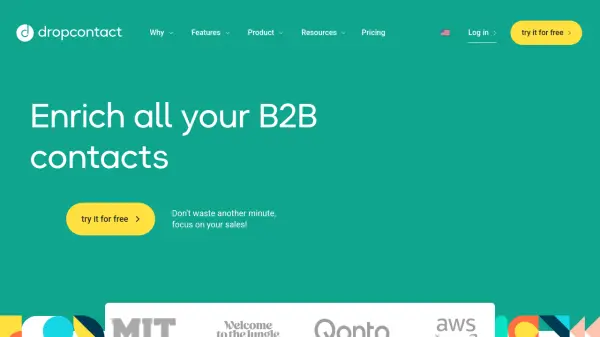
Dropcontact offers automated B2B contact enrichment services. The tool finds verified email addresses, adds supplementary information like company size and LinkedIn profiles, corrects formatting errors, and identifies and merges duplicate entries within contact lists or CRMs. It emphasizes GDPR compliance by using proprietary algorithms and test servers rather than relying on pre-existing databases, ensuring data accuracy and privacy.
Users can integrate Dropcontact directly into popular CRMs such as HubSpot, Pipedrive, Salesforce, and Zoho for seamless data management, or process contact lists by uploading files (Excel, CSV, .txt). An API is also available for custom workflows and integrations with tools like Zapier, Make, and n8n. The platform aims to streamline data handling processes, allowing sales and marketing teams to focus on core activities by maintaining clean and up-to-date contact information.
Features
- Email Finder: Finds verified B2B emails using first name, last name, and website/company name.
- Data Enrichment: Adds civility, LinkedIn profiles, company websites, size, industry, NAF code, salary range, SIREN number, and VAT number (French companies).
- Email Verification: Verifies the validity of email addresses (98% accuracy, >85% for catch-all domains).
- Duplicate Detection & Merging: Automatically identifies and merges duplicate contact records in files or CRMs.
- Data Cleaning: Corrects name order, first name spelling, standardizes information, and removes harmful characters.
- CRM Integration: Natively connects with HubSpot, Pipedrive, Salesforce, and Zoho CRM.
- GDPR Compliance: Operates using proprietary algorithms and test servers without stored personal databases.
- Company Change Alert: Tracks when contacts change companies to identify new opportunities.
Use Cases
- Automating B2B lead enrichment processes.
- Maintaining accurate and clean data within CRM systems.
- Finding verified professional email addresses for sales outreach.
- Ensuring GDPR compliance for contact data processing activities.
- Identifying and merging duplicate contacts in marketing databases.
- Tracking lead job changes for timely sales follow-up.
- Enriching prospect lists uploaded via CSV or Excel files.
FAQs
-
How does the Email Finder subscription work?
You choose a monthly or annual quota of emails found. Unused credits can roll over with the 'Credit Carryover' option if you have an active paid subscription. If an email isn't found, the credit is returned to your account. -
Can I modify my subscription once I've subscribed?
Yes, Dropcontact subscriptions are flexible. You can upgrade, downgrade, or cancel your monthly or annual subscription at any time directly within the Dropcontact application. -
Can I use my Email Finder subscription credits with my CRM integration?
No, the Email Finder subscription and the CRM enrichment subscription are two separate plans. Credits purchased for the Email Finder (via file upload or API) cannot be used for the native CRM integration. -
With which CRMs is Dropcontact natively integrated?
Dropcontact offers native integration with Pipedrive, HubSpot, Salesforce, and Zoho CRM. -
How does Dropcontact ensure GDPR compliance?
Dropcontact uses its own proprietary algorithms and test servers to find, test, and verify all data, rather than relying on stored personal databases. This makes the solution 100% GDPR compliant.