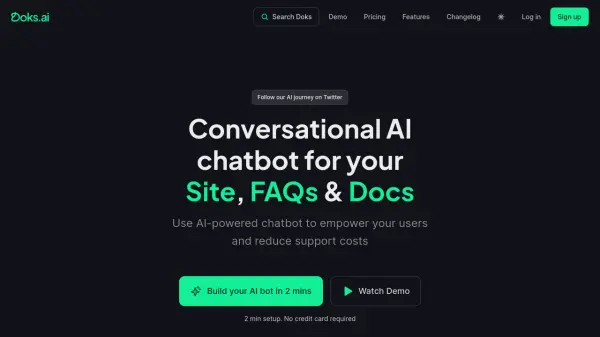
What is Doks.ai?
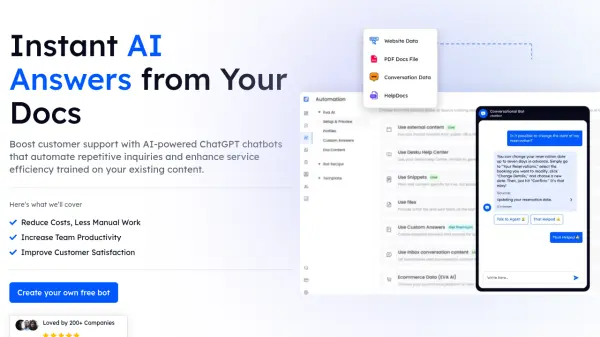
Doks.ai is an AI chatbot builder that enables businesses to create customized chatbots. These chatbots integrate into websites or documentation to answer user queries. It achieves this by syncing with existing websites, documentation, or knowledge base systems.
Doks.ai allows users to train their AI chatbot on their own data sources. These sources can include a website, knowledgebase articles, HelpDesk tickets, or other resources. The platform offers seamless integration, customizable designs, and multiple form templates for lead generation and support. By offering self-service options, Doks.ai aims to improve customer experience and reduce support ticket volume by 40-70%.
Features
- Self-service AI Chatbot: Provides instant answers to user queries, reducing support ticket volume.
- Trainable AI: Allows training the chatbot on various data sources like websites, documents, and HelpDesk tickets.
- Lead Conversion: Offers multiple form templates for lead generation and support ticket creation.
- Customizable Design: Enables personalization of the chatbot's appearance to match brand identity.
- Multiple Integrations: Embed the chatbot as a floating button, or with custom trigger buttons.
- Markdown support: Supports markdown for chatbot interaction
- Prompt Fine-tuning: Gives instructions or prompts to customize chatbot's responses.
Use Cases
- Customer support
- Lead generation
- Documentation assistance
- Technical support
- E-commerce assistance
FAQs
-
What type of data is required to create my chatbot?
You can enter your website URLs, XML-Sitemap, or paste text or document. The data should contain the information that you want your chatbot to know. -
Are there limits to the number of documents I can add to Doks AI?
No, there are no limits to the number of documents you can upload and train. -
How do I retrain the chatbot?
You can update the data your chatbot is trained on by clicking on Manage section and then clicking 'Retrain AI' button. -
Can I customize the look and feel of my chatbot?
Yes, you can customize the look and feel of your chatbot by changing its background, color scheme, logos, widget icon, and avatar. -
Is there a limit on the number of users that can access my Doks.ai chatbot?
No, there are no limits on the number of users that can access or chat with your chatbot.