What is Data Cleaner?
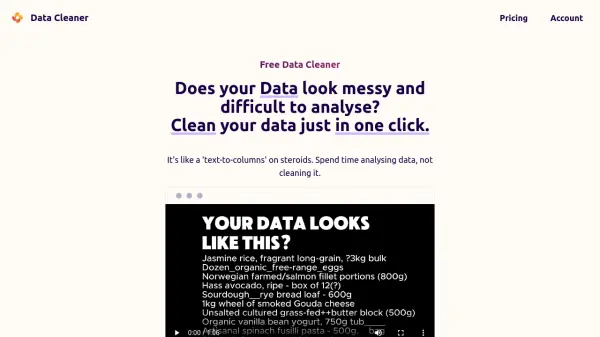
Data Cleaner offers a streamlined solution for transforming messy, difficult-to-analyze data into structured, usable formats. By automating the cleaning process, it allows users to dedicate more time to data analysis rather than tedious preparation. The tool functions like an advanced 'text-to-columns' feature, capable of handling various data types and languages.
Users can paste their raw data directly into the interface. The system provides options to manually define the desired output columns or utilize an AI feature to suggest appropriate columns based on the input data. With a simple interface and powerful algorithms working behind the scenes, the tool processes requests quickly, delivering cleaned data in seconds. For paid users, data processing is handled securely via Microsoft Azure, ensuring data privacy.
Features
- One-Click Cleaning: Cleans data automatically with minimal user input.
- AI Column Suggestion: Intelligently suggests output column structures based on input data.
- Manual Instruction Tailoring: Allows users to provide specific instructions for customized results.
- Multi-Language/Data Type Support: Capable of processing various types of data across different languages.
- Simple Interface: Easy-to-use design minimizes complexity.
- Secure Processing: Utilizes Microsoft Azure for secure data handling in paid versions.
Use Cases
- Cleaning and structuring customer lists.
- Standardizing supplier information for price comparison.
- Preparing unstructured text data for database import or analysis.
- Aligning data fields across different datasets.
- Automating the formatting of raw text entries.
FAQs
-
How many characters limit do I need?
As a reference, a database with 200 SKUs is approximately 7,000 characters. You might need multiple runs to achieve the ideal result, so factor that into your required limit. -
What plan should I choose if I need it only for once?
You can start with the lower plan (Free or Basic) and upgrade if you require more processing capacity (characters). -
What if I am not satisfied with the results?
Within the first week after subscribing, you can request a refund proportional to your unused character quota. For example, if you used 30% of your quota, you can receive a 70% refund. -
Do you offer a pay-per-use model?
A pay-per-use model might be possible on an individual basis. Please contact the support team via email to discuss this option.