Clairvoyance favicon

Clairvoyance
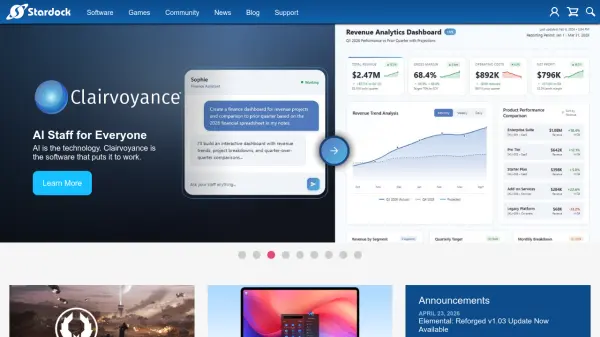
AI Staff for Everyone

What is Clairvoyance?

Clairvoyance is an AI-powered software from Stardock designed to bring the benefits of artificial intelligence to everyday tasks. It leverages advanced AI technology to assist users in automating workflows, managing information, and improving productivity. Whether for personal or professional use, Clairvoyance aims to make AI accessible and practical for everyone.

Features

  • AI Automation: Automates repetitive tasks using artificial intelligence.
  • Task Management: Helps manage and organize workflows efficiently.
  • Information Retrieval: Uses AI to quickly find and retrieve relevant information.

Use Cases

  • Automating daily administrative tasks.
  • Managing project workflows and deadlines.
  • Quickly searching and organizing digital documents.
  • Enhancing personal productivity with AI assistance.

FAQs

  • What is Clairvoyance?
    Clairvoyance is an AI software from Stardock that helps users automate tasks and boost productivity using artificial intelligence.
  • Who can use Clairvoyance?
    Clairvoyance is designed for anyone looking to enhance productivity, including professionals, entrepreneurs, and individuals.
  • What platforms does Clairvoyance support?
    Specific platform details are not provided, but it is likely available on Windows given Stardock's focus.

Related Queries

Helpful for people in the following professions

Related Tools:

Blogs:

  • Best AI tools for recruiters

    Best AI tools for recruiters

    These tools use advanced algorithms and machine learning to automate tasks such as resume screening, candidate matching, and predictive analytics. By analyzing vast amounts of data quickly and efficiently, AI tools help recruiters make data-driven decisions, save time, and identify the best candidates for open positions.

  • Top 6 AI note-taking tools for 2026: in-person, online, and hybrid use cases

    Top 6 AI note-taking tools for 2026: in-person, online, and hybrid use cases

    Most AI note-taking lists are really lists of meeting bots, which join your video call and transcribe it. That's useful, but it's half the picture. Decisions happen in hallway conversations, client dinners, on-site visits, and hybrid rooms where nobody is on a video link. This guide covers different parts of the note-taking workflow: hardware capture for in-person settings, platform-native tools for online calls, and AI layers for organizing and synthesizing what you've captured. It compares six tools by capture context, workflow fit, pricing, and limitations.

Didn't find tool you were looking for?

Be as detailed as possible for better results