What is Centroly?
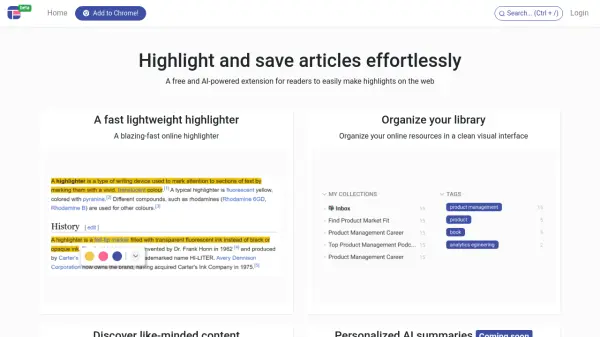
Centroly is an AI-powered browser extension designed for readers who want to efficiently highlight, save, and organize web articles. The tool offers a lightweight yet effective highlighter that allows users to select and store important passages from online content. In addition, Centroly enables easy organization of saved resources within a visually clean interface, enhancing productivity and information management for online researchers and readers.
Centroly also introduces personalized AI-powered summaries, helping users quickly distill key points from their collected highlights and notes. While the summary feature is coming soon, Centroly already streamlines the process of browsing, annotating, and curating informative articles, making it invaluable for anyone seeking to optimize their web reading experience.
Features
- AI Summaries: Generates personalized summaries of article highlights and notes (coming soon)
- Fast Highlighting: Quickly highlight and save important sections of web articles
- Bookmarking: Save and return to key articles easily
- Content Discovery: Find articles and bookmarks shared by thought leaders
- Organized Library: Manage all saved highlights and resources in a simple, visual interface
Use Cases
- Highlighting and saving key sections of academic articles during research
- Bookmarking informative blog posts for later review
- Organizing digital reading materials for efficient study
- Curating articles and sharing them with peers or colleagues
- Generating quick AI-powered summaries of saved highlights (once available)