What is Blync?
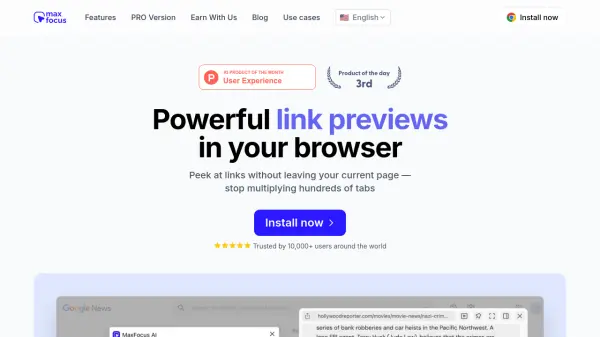
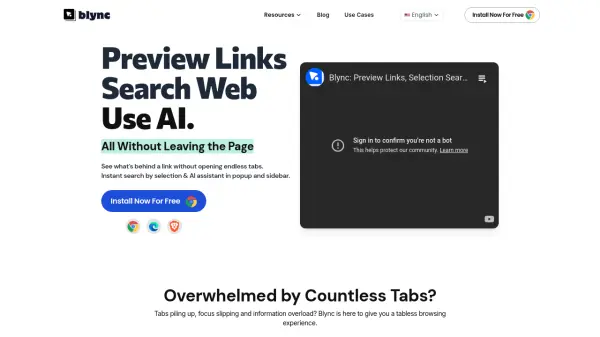
Blync enhances the browsing experience by allowing users to preview the content behind links directly on the current page, eliminating the need to open numerous tabs. This feature helps maintain focus and reduce information overload by offering an on-demand browser window within the existing tab. Users can trigger previews by hovering, dragging, or clicking on links, with customizable behavior for different websites, contributing to a 'tabless' browsing environment.
The extension incorporates an AI assistant that activates upon text selection or via a keyboard shortcut. This assistant leverages the user's existing AI accounts (supporting ChatGPT, Gemini, and Claude) to provide insights, summaries, or perform searches based on the selected content, displaying results conveniently in a popup or sidebar. Blync prioritizes user control and privacy; it operates entirely locally on the browser, is serverless, and does not track or store user data. Extensive customization options allow users to configure link behavior, AI prompts, action templates, and the extension's visual appearance.
Features
- Link Preview: Hover, drag, or click links to preview content in a popup without opening new tabs.
- Selection Search & AI Integration: Select text to instantly search or interact with integrated AI (ChatGPT, Gemini, Claude) via popups.
- Customizable Behavior: Control how links open (hover, drag, click) and set domain-specific rules.
- Configurable AI Assistant: Tailor AI prompts and action templates for personalized tasks.
- Personalized Appearance: Adjust interface colors and blur levels.
- Local Operation & Privacy: Runs entirely on the browser, serverless, with no data tracking or storage.
Use Cases
- Reducing tab clutter during online research.
- Quickly understanding link content without navigating away.
- Getting AI-powered summaries or insights on selected text.
- Streamlining web searches based on page content.
- Improving focus by minimizing context switching between tabs.
- Customizing browsing workflows with integrated AI assistance.
FAQs
-
Which browsers does Blync support?
Currently, Blync supports Chrome, Brave, and Edge. Support for other major browsers like Firefox is planned. -
Does Blync work on all websites?
Yes, you can use Blync's link preview and AI assistant features on any website. -
Which AI agents does Blync support?
Blync currently supports integration with ChatGPT, Gemini, and Claude. -
Do I need my own AI account to use the Blync AI Assistant?
Yes, Blync automates interactions with your existing AI accounts (ChatGPT, Gemini, Claude) in the browser; it does not provide its own AI service. -
Is Blync secure to use?
Yes, Blync is designed for security. It is serverless, runs entirely locally on your browser, and does not track or store any user data.