What is InPage AI?
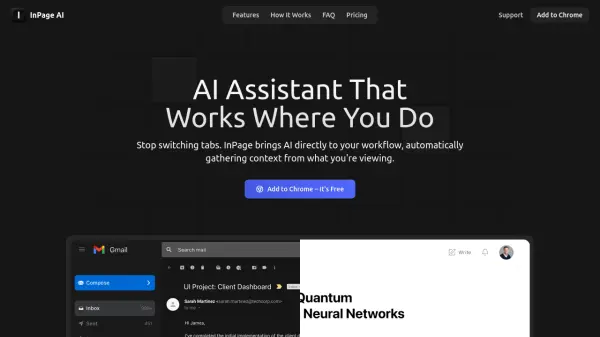
Integrates AI capabilities directly into the user's browser workflow, eliminating the need to constantly switch tabs or copy and paste text. This browser extension automatically gathers context from the webpage being viewed, allowing for seamless interaction with powerful AI models like those from OpenAI, Anthropic, Gemini, Perplexity, xAI, and Meta AI. Users can understand complex articles instantly by requesting clarification directly on the page or generate contextually appropriate replies within compose boxes on platforms like Gmail, Twitter, or Google Docs.
Accessible via a simple keyboard shortcut (Alt+I), the tool provides AI assistance without disrupting concentration or requiring navigation away from the current website. It intelligently recognizes on-page content, enabling users to ask questions or generate text without manual input. Responses and suggestions are presented in a safe preview mode with clear highlighting, giving users full control to edit or approve before implementation. This approach ensures the AI adapts to the user's flow, enhancing productivity and focus.
Features
- Context-Aware Assistance: Automatically understands the content of the current webpage without requiring copy-pasting.
- In-Place AI Responses: Generate emails, replies, and content directly within text fields on any website.
- One-Key Access: Activate AI help instantly using the Alt+I keyboard shortcut with context pre-loaded.
- Seamless Integration: Works across various websites like Gmail, Twitter, Google Docs, and GitHub without specific configuration.
- Multiple AI Model Support: Utilizes models from OpenAI, Anthropic, Gemini, Perplexity, xAI, and Meta AI.
- Safe Preview Mode: Review AI suggestions with clear highlighting before applying or editing them.
- Webpage Summarization: Quickly understand articles or complex text.
- Writing Assistance: Get help generating text, replies, and other content.
Use Cases
- Quickly understanding complex articles or web content without leaving the page.
- Generating contextually relevant email replies directly within Gmail.
- Drafting social media posts or replies directly on platforms like Twitter.
- Getting writing assistance while working in Google Docs or other web-based editors.
- Simplifying explanations or clarifying information found online.
- Improving productivity by reducing context switching between tabs.
- Asking questions about code directly on platforms like GitHub.
FAQs
-
What is InPage AI?
InPage AI is a Chrome extension that brings AI assistance directly into your browser. It eliminates the need to switch tabs or copy-paste content when using AI tools, by automatically understanding the context of what you're viewing or writing.