SaaS sprawl outpaces traditional IT asset management. Finance sees invoices; IT sees SSO logins; security sees shadow tools nobody onboarded. Reconciliation meetings devolve into spreadsheet archaeology.
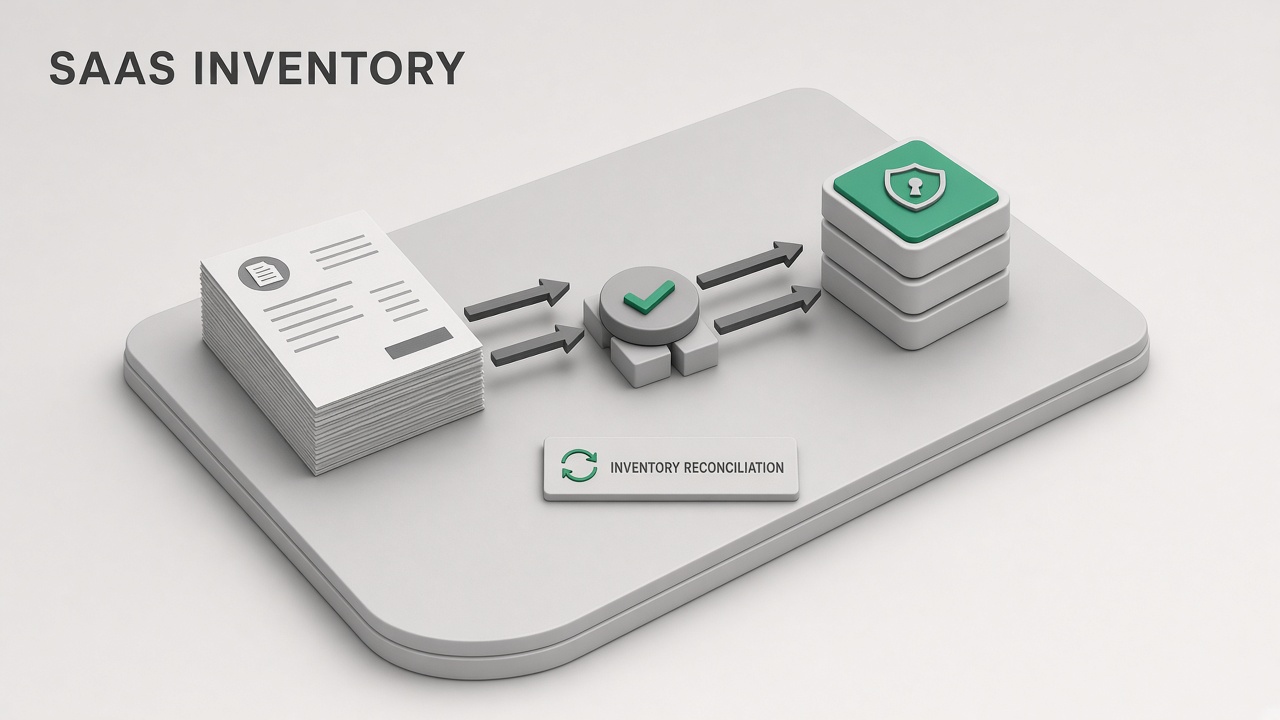
An ai workflow it asset saas inventory ingests finance invoices and SSO logs, matches accounts to owners, flags shadow and duplicate tools, and kicks off deprovision workflows after human approval. AI assists matching; ITAM owns authoritative inventory. Extend discovery with AI automation for ticket routing and AI research when evaluating new vendor categories employees request.
Ingest Finance Invoices and SSO Logs
Combine accounts payable exports and identity provider sign-in logs into one reconciliation workspace with a shared snapshot date. Matching quality depends on consistent vendor naming and normalized email domains across both sources.
Finance data carries spend signal: vendor legal name, amount, billing frequency, cost center, PO number. SSO logs carry usage signal: application name, user email, last login, license assignment if synced from IdP. Neither source alone is complete inventory.
- Invoice export: Vendor, amount, invoice date, GL code, department, payment method
- SSO export: App display name, SAML entity, unique users 30/90 day, last auth timestamp
- HR roster: Active employees, department, manager for ownership inference
- Existing CMDB: Approved SaaS catalog with vendor ID mapping table
- Credit card feeds: If allowed by policy, corporate card transactions tagged software
| Source | Strength | Weakness |
|---|---|---|
| AP invoices | Authoritative spend | Misses free tiers and personal cards |
| SSO logs | Active user counts | Misses non-SSO apps |
| IdP assignments | Licensed seat mapping | Stale group memberships |
| Expense reports | Catches some shadow spend | Delayed and incomplete coding |
Ingestion privacy and retention
- Restrict reconciliation workspace access to ITAM, finance partners, and security as needed
- Redact invoice line detail not required for matching before external AI processing if policy requires
- Retain snapshots monthly for trend analysis; purge per data retention policy
Multi-entity subsidiaries may bill the same SaaS vendor from different legal entities. Normalize entity ID in the ingest layer before matching or you will duplicate applications that are actually one enterprise agreement with split invoicing. Finance can supply intercompany allocation rules for the reconciliation workbook.
Match Accounts to Owners
AI proposes vendor-to-application matches and assigns business owners using invoice cost center, SSO admin contacts, and HR manager hierarchy; ITAM confirms or corrects every row. Fuzzy matching handles "Notion Labs" vs "Notion" but humans resolve ambiguous collisions.
Maintain a vendor alias table updated when procurement signs new vendors. AI suggestions cite match confidence: exact vendor ID, fuzzy name, or manual review required. Low-confidence rows never auto-publish to CMDB.
- Normalize names: Strip Inc, LLC, billing descriptors from vendor strings
- Match invoice to app: Map to SSO app ID or mark non-SSO
- Assign owner: Cost center lead, app admin in IdP, or ITAM queue
- Seat math: Compare billed seats to active SSO users in window
- Confirm: Owner acknowledges in ITSM ticket or inventory UI
| Match confidence | Criteria | ITAM action |
|---|---|---|
| High | Vendor ID in catalog, SSO app linked | Batch approve after spot check |
| Medium | Fuzzy name match, single candidate app | Owner confirms one click |
| Low | Multiple candidates or no SSO hit | Manual research required |
| Unmatched | Invoice with no app mapping | Finance plus ITAM joint review |
Owner accountability
Every approved SaaS row needs a named owner accountable for annual review, access reviews, and renewal decisions. AI suggests owners; managers reassign through HRIS-linked workflow when suggestions wrong.
Flag Shadow and Duplicate Tools
Surface applications with spend or usage but no CMDB record, plus functional duplicates where two tools serve the same job-to-be-done. Shadow flags feed security risk register; duplicate flags feed consolidation planning.
- Shadow spend: Invoice or card charge for vendor not in approved catalog
- Shadow usage: SSO or browser extension telemetry for unapproved app with active users
- Duplicate function: Overlapping categories (two video conferencing, three note apps)
- Orphan licenses: Billed seats exceed active users by policy threshold
- Zombie subscriptions: Paid invoice, zero logins 90 days
- AI clusters apps by category tags and description similarity
- ITAM reviews cluster with security and procurement input
- Owner notified: justify retention, migrate users, or approve deprovision
- Executive dashboard shows shadow spend trend quarter over quarter
Not every shadow tool is malicious; some are team experiments awaiting formal request. Flag severity distinguishes unapproved PII storage from a designer trying a new whiteboard tool with no customer data.
Duplicate resolution paths
Consolidation needs migration timeline, not immediate cut-off. Document standard tool per category in service catalog. Grandfather exceptions with expiry date and risk acceptance sign-off from owner and security.
Contract renewal season is the natural enforcement point for zombie and duplicate flags. ITAM sends owners a 60-day renewal packet: active users, last login distribution, overlapping tools in the same category, and recommended action (renew, right-size seats, or deprovision). AI drafts the packet; owners respond in ITSM before procurement auto-renews.
Kick Off Deprovision Workflows
Human-approved deprovision tickets remove IdP access, revoke licenses, and notify finance to cancel renewals; AI drafts checklists but does not disable accounts autonomously. Wrong deprovision disrupts revenue teams; approval gates protect uptime.
- Trigger: Zombie subscription, duplicate consolidation, offboarding, security incident
- Approval: App owner plus ITAM; security for sensitive data stores
- IdP: Remove SAML app assignment and group memberships
- Vendor admin: Disable users in vendor console or via SCIM if integrated
- Finance: Cancel auto-renew, update PO, credit unused annual seats if applicable
- Verify: Zero logins 14 days post-action; close ticket
| Workflow step | AI assist | Human required |
|---|---|---|
| Identify candidates | Zombie and orphan detection | Approve deprovision list |
| User comms | Draft migration notice | Owner edits and sends |
| Access removal | Checklist per app type | IT executes IdP change |
| Vendor cancel | Renewal date reminder | Procurement submits cancel |
Integrate with automation platforms to open tickets and assign owners, not to silently revoke access. Audit log every deprovision with approver ID and snapshot evidence.
Frequently Asked Questions
How do API keys and non-SSO integrations appear in inventory?
API keys rarely surface in SSO logs. Track them in a secrets registry linked to CMDB application records. Reconciliation flags paid APIs with no registered key owner. Security scans code repos for leaked keys separately; this workflow does not replace secret scanning.
What about employees expensing SaaS on personal cards?
Expense system exports feed shadow detection when policy requires reimbursement. Unreimbursed personal card spend is invisible to finance; rely on security awareness, DLP, and employee attestation campaigns. Flag repeated expense categories for same vendor as consolidation candidates once discovered.
Does this workflow cover AI-specific SaaS spend?
Yes. AI tools often arrive via credit card before procurement review. Match invoice descriptors like "OpenAI", "Anthropic", or reseller names to your AI vendor catalog. Apply data classification rules: tools processing customer PII need security review before owner approval stands.
How often should reconciliation run?
Monthly full reconcile for finance alignment; weekly SSO usage delta for high-risk categories. Annual true-up before budget season with executive summary of shadow spend reduction and duplicate consolidation savings.
Where do contracts and DPAs live relative to inventory?
Link each CMDB application record to contract repository metadata: renewal date, data processing agreement status, and security review expiry. AI matching proposes links from invoice PO numbers; legal confirms DPA coverage before owner approval finalizes high-risk applications. Inventory without contract linkage flags for procurement follow-up.
Inventory Truth From Spend and Usage
IT asset managers tame SaaS sprawl by ingesting invoices and SSO logs, AI-assisted matching to owners, and human-gated deprovision workflows. Shadow and duplicate flags turn reconciliation from quarterly fire drills into continuous hygiene. Authoritative inventory lives in your CMDB; AI connects the dots finance and IT already have in separate systems.