What is Asrify?
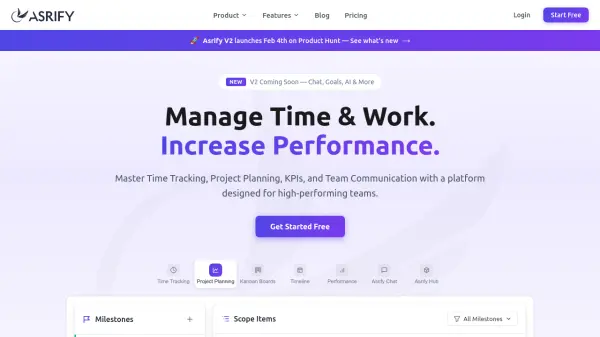
Asrify is a comprehensive project management and time tracking platform that combines essential productivity tools into a single interface. The platform offers features like kanban boards for visual task management, timeline views for project scheduling, and detailed performance analytics with KPIs to help teams monitor their progress effectively.
With built-in team communication through Asrify Chat and AI-powered assistance across various functions, the tool adapts to different workflows whether for solo professionals or collaborative teams. It provides transparent pricing with free and paid tiers, supporting unlimited team members, project templates, and client management capabilities for agencies and studios.
Features
- Time Tracking: One-click timers and detailed time history across projects
- Project Planning: Kanban boards, timeline views, and task management with dependencies
- Team Communication: Built-in chat with AI-powered assistance and file sharing
- Performance Analytics: Weekly dashboards, KPIs, and earnings tracking
- Client Management: Billable rates, invoicing, and client portals for agencies
Use Cases
- Tracking billable hours for client projects in agencies
- Managing team workflows with visual kanban boards and timelines
- Monitoring productivity trends and performance KPIs for solo professionals
- Collaborating on projects with built-in chat and file sharing
- Generating reports and invoices for client billing and internal analysis
FAQs
-
What AI features does Asrify include?
Asrify includes basic AI features in the Pro plan and advanced AI features in the Business plan, such as AI-powered assistance in chat and potentially other productivity enhancements, though specific details are not listed. -
Can I use Asrify Chat as a standalone tool?
Yes, Asrify Chat can be used as a standalone tool for team communication, or added to any plan for integrated use. -
How many team members can use the free plan?
The free plan supports up to 2 team members (seats). -
What types of reports can I generate?
You can generate reports in view-only mode with a watermark on the free plan, and export reports as PDF or CSV without watermarks on paid plans, including earnings and time tracking data. -
Is there a mobile app available for Asrify?
The content does not specify if there is a mobile app; it focuses on web-based features and integrations.