What is Analyst Intelligence?
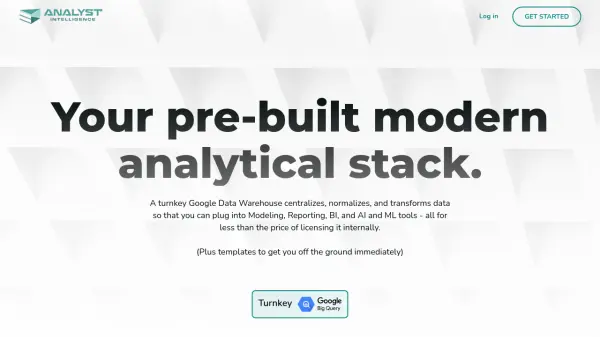
Analyst Intelligence provides a comprehensive data analytics platform built on Google Cloud Platform, enabling businesses to centralize their financial and operational data analysis. The platform offers seamless integration with multiple data sources, automated data cleaning, and transformation capabilities, all while maintaining high security standards and data accessibility.
The solution combines the power of Google BigQuery with intuitive notebooks for documentation and automation, allowing teams to streamline their analytical processes without extensive technical knowledge. With features like one-click integrations, automated validations, and built-in Business Intelligence tools, it significantly reduces the time from data collection to actionable insights.
Features
- One-Click Integration: Connect data sources instantly without IT resources
- Automated Data Processing: Clean and transform data automatically
- Google BigQuery Integration: Built-in data warehouse capabilities
- AI-Powered Analysis: Machine learning capabilities through Google's Vertex AI
- Business Intelligence: Built-in dashboarding and reporting tools
- Excel/Google Sheets Integration: Native spreadsheet connections
- Automated Reporting: Weekly automated reports and dashboards
- Secure Data Management: Isolated GCP projects with real-time monitoring
Use Cases
- Financial data consolidation and analysis
- Headcount forecasting
- Pipeline and revenue analysis
- Business intelligence reporting
- Data warehouse management
- Automated financial reporting
- Win-loss analysis
- Variance analysis
FAQs
-
Is it only for big companies?
No, the platform is built for teams without a lot of resources. Both small and large companies can benefit from the automation, advanced analytics, and integration capabilities. -
Do I lose control of my data?
No, you have complete access to all your data at all times. Since the data is stored in Google Cloud, you can easily view, retrieve, manage, and control your data, ensuring full transparency and ownership. -
Is my data secure?
Yes, your data is highly secure. The platform is built on Google Cloud Platform (GCP), which provides robust security features, including isolated GCP projects, real-time monitoring, disaster recovery, and data backup.