What is AIOS Companion?
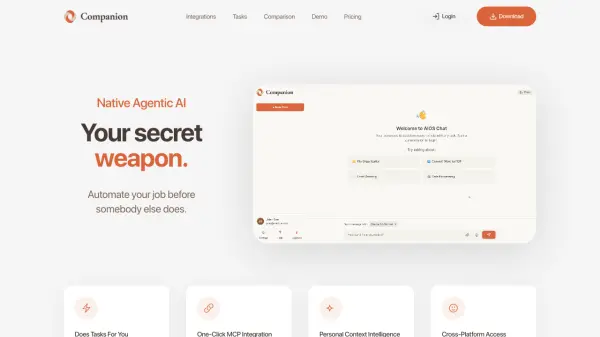
AIOS Companion is an advanced AI automation tool that operates directly on your local machine to control applications and complete tasks autonomously. Unlike traditional LLMs that provide instructions, Companion executes actions by accessing your files, running system commands, and interacting with installed software. It integrates with over 2,700 applications through Model Context Protocol (MCP) for seamless workflow automation.
The tool uses agentic AI frameworks to break down complex tasks into actionable steps, optimizing browser automation to reduce token usage by 90%. It works across Windows and macOS platforms, with mobile access coming soon, and maintains data security by processing most information locally unless explicitly shared for specific tasks.
Features
- Direct Computer Control: Operates your machine to automate tasks without manual execution
- MCP Integration: Connects to 2,700+ applications with one-click setup
- Personal Context Intelligence: Accesses emails, contacts, and files for relevant automation
- Cross-Platform Access: Works on Windows and macOS with mobile app coming soon
- Browser Use Optimization: Reduces token usage by 90% for efficient automation
Use Cases
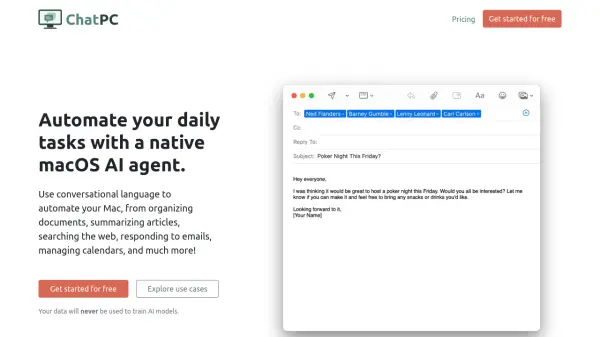
- Email drafting and management
- Invoice creation and sending via Stripe/Zoho
- Google Sheets data management
- Lead generation and contact enrichment
- Document reading and summarization
- Support ticket routing and responses
- File organization across Documents, Downloads, and Desktop folders
- Social media management
- Meeting scheduling
- Computer security tasks
FAQs
-
How does Companion differ from other AI tools?
Companion directly controls your local machine to execute tasks, while other tools typically provide instructions or work in sandboxed environments without real file access. -
What platforms does Companion support?
It currently works on Windows and macOS, with Linux support planned and a mobile app coming soon. -
Is technical expertise required to use Companion?
No programming skills are needed; users can describe tasks in plain English for automation. -
How does Companion handle data security?
It runs locally with encrypted server communication, keeping personal data on your machine unless explicitly shared for tasks. -
What happens if the AI makes an error during automation?
Companion requests confirmation for risky actions and maintains audit logs of all activities for review.