Zento favicon

Zento
Streamline your expense management process with Zento

What is Zento?

Zento is a simple, intuitive, cloud-based application designed to replace outdated methods of settling business, travel, and employee expense claims. It helps organizations expedite and simplify the cumbersome process of gathering and processing expense claims through automation and real-time monitoring.

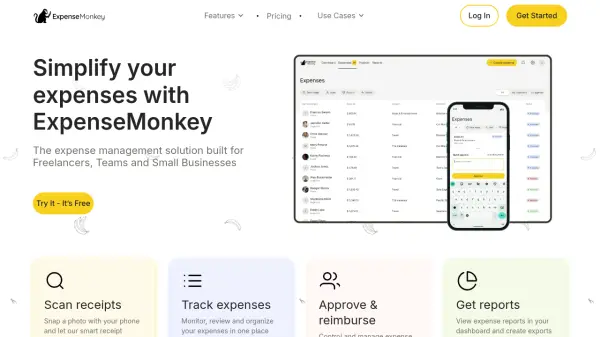
The platform provides a centralized dashboard where employees can submit, reconcile, and track expense claims and reimbursements. Managers can approve or disapprove claims efficiently, while finance teams handle reimbursements, all within a streamlined workflow that integrates with major ERPs.

Features

  • Single-click expense approvals: Streamline approval workflows with one-click actions
  • Receipt attachment: Attach receipts and related paperwork directly to claims
  • Advance payments handling: Manage advance payment requests within the platform
  • Real-time monitoring: Track and monitor claims in real-time from desktop and mobile
  • ERP integration: Easy integration with major enterprise resource planning systems

Use Cases

  • Managing employee travel expense claims
  • Streamlining business expense reimbursements
  • Automating expense approval workflows for managers
  • Centralizing expense tracking for finance teams
  • Processing advance payment requests for employees

Related Tools:

Blogs:

  • Best text to speech AI tools

    Best text to speech AI tools

    Text-to-speech (TTS) AI tools are designed to convert written or text-based content into natural-sounding spoken audio. These tools utilize various deep learning and neural network architectures to generate human-like speech from textual input.

  • Top 6 AI note-taking tools for 2026: in-person, online, and hybrid use cases

    Top 6 AI note-taking tools for 2026: in-person, online, and hybrid use cases

    Most AI note-taking lists are really lists of meeting bots, which join your video call and transcribe it. That's useful, but it's half the picture. Decisions happen in hallway conversations, client dinners, on-site visits, and hybrid rooms where nobody is on a video link. This guide covers different parts of the note-taking workflow: hardware capture for in-person settings, platform-native tools for online calls, and AI layers for organizing and synthesizing what you've captured. It compares six tools by capture context, workflow fit, pricing, and limitations.

  • Top AI tools for Teachers

    Top AI tools for Teachers

    Explore the top AI tools designed for teachers, revolutionizing the education landscape. These innovative tools leverage artificial intelligence to enhance teaching efficiency, personalize learning experiences, automate administrative tasks, and provide valuable insights, empowering educators to create engaging and effective educational environments.

Didn't find tool you were looking for?

Be as detailed as possible for better results