

What is Captio?
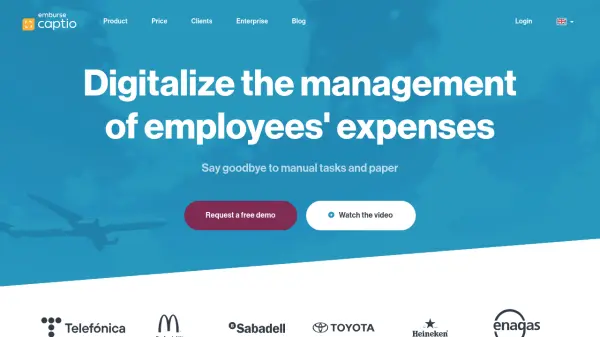
Captio is a comprehensive expense management platform designed to digitalize and optimize employee expense processes for businesses. The platform automates expense capture, approval workflows, and reporting through mobile and web applications, integrating seamlessly with existing systems like ERP, CRM, and accounting software. It utilizes high-fidelity automated reading technology combined with human quality review to ensure accuracy in expense processing.
The solution offers multi-language support, multi-currency handling, and customizable features to meet diverse business needs across sectors such as banking, logistics, industry, and public administration. Captio provides robust security measures including ISO/IEC 27001 certification and Microsoft Azure cloud storage, ensuring data protection and compliance with regulations like VAT recovery requirements.
Features
- High fidelity automated reading: Combines OCR and ICR technology with human quality review for accurate expense capture
- Integration capabilities: Connects with ERP, CRM, accounting systems and other business tools
- Multi-stage approval flows: Customizable approval workflows with alerts per stage
- Control alerts: Basic integrity, fraud control, and advanced integrity alerts for expense monitoring
- Mileage expense management: Includes predefined routes and rate management for travel expenses
- Multi-currency and multi-language: Supports multiple currencies and 10 languages in the application
- Bank reconciliation: Automated reconciliation with SEPA file support and cash management
- VAT management: Optional integration with VAT collectors and self-management capabilities
Use Cases
- Automating employee expense reporting and approval processes
- Streamlining VAT recovery and tax compliance for businesses
- Managing mileage and travel expenses with predefined routes
- Integrating expense management with existing ERP and accounting systems
- Monitoring and controlling expense policies with customizable alerts
- Digitizing receipt capture and processing for remote employees
- Managing multi-currency expenses for international operations
- Implementing expense policies across multiple company locations
FAQs
-
How does Captio handle users without company mobile phones?
Users can install the Captio app on personal devices or use the web application from any computer, though receipt photos uploaded via webapp may not be approved by tax authorities like AEAT. -
Can Captio integrate with my existing ERP system?
Yes, Captio integrates with various ERP systems including Oracle Netsuite, SAP, SAGE, Navision, Microsoft Dynamics 365, and custom solutions through API connections. -
Where is my data stored and how secure is it?
Data is stored in the Microsoft Azure cloud with ISO/IEC 27001 certification, featuring custom hardware security controls and protection against threats like DDoS attacks. -
Is there special pricing available for non-profit organizations?
Yes, Captio offers an NGO programme with special terms and conditions for non-profit organizations upon contact. -
How does billing work for different plans?
Individual and Professional plans offer monthly or annual billing options, while Corporate and Enterprise plans use annual billing with customized pricing based on user count.