What is YouTube Movie Maker?
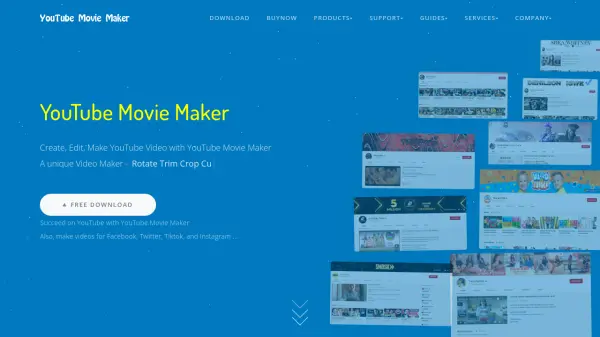
YouTube Movie Maker is a comprehensive video editing solution tailored for YouTube content creation. It provides users with a streamlined interface to design, edit, and upload videos without requiring professional editing knowledge. The software supports various formats including video clips, photos, music, and text, allowing for the creation of polished videos with effects like transitions, motion, and 3D group effects.
This tool includes features for batch uploading, screen recording, and video promotion, making it an all-in-one platform for YouTube channel management. It is compatible with 64-bit Windows systems and offers high performance with hardware acceleration, ensuring efficient video processing and uploads.
Features
- Drag & Drop Editing: User-friendly interface for easy video creation without professional knowledge
- Batch Upload: Upload multiple videos to YouTube automatically with predefined profiles
- 3D Group Effects: Create cool 3D videos by grouping multiple clips or images
- Screen Recording: Capture computer screen videos for tutorials or gameplay
- Lyric Video Maker: Built-in tool for creating karaoke and lyrics videos with motion effects
Use Cases
- Creating professional YouTube videos for channel growth
- Making lyric or karaoke videos for music content
- Recording and editing gameplay or tutorial videos
- Bulk uploading multiple videos to YouTube efficiently
- Promoting uploaded videos to increase views and subscribers
FAQs
-
What formats does YouTube Movie Maker support for video and audio?
YouTube Movie Maker supports all popular video and audio formats, eliminating the need for format conversion. -
Can I use YouTube Movie Maker on Windows 10?
Yes, YouTube Movie Maker is compatible with 64-bit Windows systems including Windows 7, 8, and 10. -
Does YouTube Movie Maker offer a free version?
Yes, YouTube Movie Maker has a Free Edition with basic features, while advanced features are available in paid editions like Gold and Platinum. -
How does the batch upload feature work?
The batch upload feature allows users to upload multiple videos to YouTube automatically, handling format and specification issues to save time. -
What is the 3D Group Effects feature?
3D Group Effects enable users to group multiple video clips or images and apply cool 3D effects to create engaging videos.