
What is Yotes?
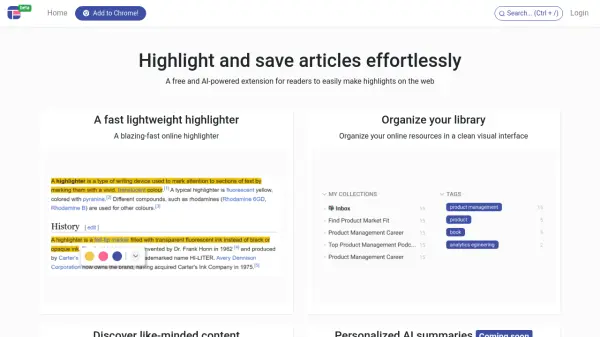
Yotes is an advanced Chrome extension designed for web readers, researchers, and students who need to capture, organize, and revisit their online findings easily. By integrating seamlessly into all Chromium-based browsers, Yotes lets users make contextual notes, attach ideas or summaries directly on any webpage, and ensures these notes reappear automatically when revisiting the site.
The extension streamlines the research process with features such as instant text quoting, quick content insights like reading time and word count, and effortless sharing of notes with source URLs. All notes are conveniently structured per webpage, minimizing the need to switch apps and making online learning and research more efficient and enjoyable.
Features
- Contextual Notes: Attach thoughts, summaries, and ideas to specific webpages.
- Effortless Quoting: Instantly add selected text as formatted quotes to notes for each URL.
- Content Insights: View estimated reading time and word count directly in the popup.
- Organized Annotations: Structure insights, annotations, and important snippets per webpage.
- Easy Note Portability: Copy notes along with the source URL to the clipboard for sharing or export.
- Automatic Note Recall: Notes reappear automatically when you revisit a webpage.
Use Cases
- Annotating and organizing research articles for academic projects.
- Capturing and summarizing industry news for market analysis.
- Highlighting and noting key points while studying online courses.
- Creating a digital reading companion to streamline professional research.
- Quickly gathering and reviewing insights from multiple web sources.
FAQs
-
What browsers does Yotes support?
Yotes is compatible with all Chromium-based browsers, including Chrome, Brave, MS Edge, Opera, and Vivaldi. -
Can I revisit my notes when I return to a webpage?
Yes, Yotes automatically saves your notes and displays them whenever you revisit the same page. -
How can I share my notes from Yotes?
You can easily copy your notes along with their source URL to your clipboard for sharing or integrating into other documents.