What is WorkComposer?
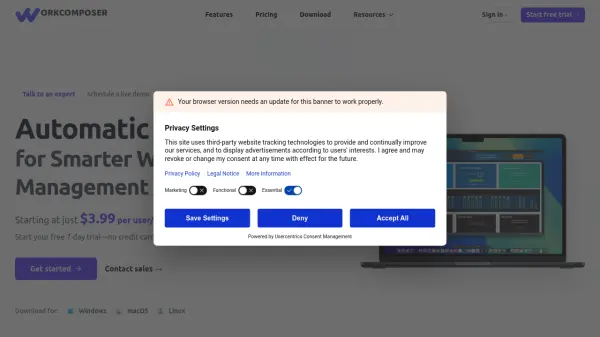
WorkComposer provides comprehensive time tracking and productivity analytics designed for modern teams. The platform offers multiple tracking modes including manual, automatic, and silent options to adapt to different workflow preferences. It delivers detailed insights through app and website usage monitoring, optional screenshot capture with encryption, and real-time attendance tracking.
The system includes AI-powered activity detection to identify unusual patterns and optimize workflows. With offline sync capabilities, data continues to be collected without internet connectivity and automatically synchronizes when connection is restored. Enterprise-grade security features ensure data protection with AES-256 encryption, TLS 1.2+ transmission security, and compliance with GDPR, CCPA, and ISO27001 standards.
Features
- Smart Time Tracking: Automatic, manual, or silent modes adapt to team workflow with precise hour tracking
- App & Web Monitoring: Detailed insights on time spent across applications and websites with productivity categorization
- Screenshot Capture: Optional periodic screenshots with AES-256 encryption for transparency and accountability
- Attendance Tracking: Monitor presence, absences, breaks, and time off in real-time with automated reports
- Activity Detection: AI-powered detection of unusual patterns and productivity alerts to optimize workflows
- Offline Sync: Continue tracking without internet with automatic data synchronization when connection is restored
Use Cases
- Creative agencies recovering billable hours and improving billing realization
- Software development teams optimizing sprint planning without micromanagement
- Professional services tracking project budgets and profitability in real-time
- Remote and hybrid teams building transparency across time zones
- Consultants capturing billable minutes accurately for client reporting
- Organizations increasing employee productivity through data insights rather than surveillance
FAQs
-
How does the free trial work?
WorkComposer offers a free 7-day trial for an unlimited number of users with no credit card required to start. -
What happens after the free trial ends?
Once the 7-day free trial ends, you can subscribe based on how many users you want to add to your team through your account settings. -
Is there a user limit for the platform?
No, there's no limit on users. You can add as many users as needed and only pay for active users on your team. -
What payment methods are accepted?
All major credit cards (Visa, MasterCard, American Express) are accepted through the secure Stripe payment processor. -
How can I cancel my subscription?
You can cancel anytime from your account settings without questions, though feedback is always welcome.