What is Wondershare Repairit?
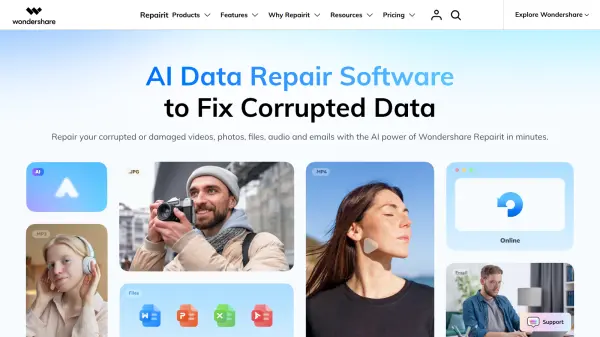
Wondershare Repairit leverages patented AI technology to repair corrupted or damaged digital files across multiple formats and scenarios. The platform addresses common data corruption issues caused by insufficient storage space, physical damage, software crashes, abnormal power outages, improper file recovery, and errors during file transfer or processing. With over 22 years of data expertise, the software has successfully restored data for 2 million users globally, achieving a high repair success rate that outperforms competitors in the industry.
The platform offers comprehensive repair solutions including video repair with AI enhancement, photo repair with colorization and restoration capabilities, file repair for documents, and audio repair functionalities. Users can process multiple files simultaneously through batch repair features, preview repaired files before saving, and utilize advanced repair options for severely damaged content. The intuitive interface requires no learning curve, enabling both novice users and professionals to repair corrupted files in three simple steps: adding files, initiating repair, and saving restored content to desired locations.
Features
- AI Video Enhancer: Transforms footage with AI-powered upscaling and noise reduction for improved video quality
- AI Photo Enhancer: Sharpens details, enhances colors, and reduces noise to create high-resolution images
- Old Photo Restoration: Restores vintage photographs with modern quality and detail preservation
- Batch Repair: Repairs multiple corrupted files simultaneously for improved productivity
- Advanced Repair Mode: Restores severely damaged files that standard repair cannot fix
- AI Photo Colorizer: Automatically colorizes black and white photos with vibrant hidden colors
- AI Photo Eraser: Removes unwanted objects, watermarks, and elements from photos instantly
- Generative Fill: Extends photo backgrounds and expands image horizons without quality loss
- Multi-Format Support: Handles all major file types including videos, photos, documents, and audio
- Preview Feature: Allows users to preview repaired files before saving to ensure quality standards
Use Cases
- Repairing videos corrupted due to insufficient storage space or interrupted recording
- Restoring photos damaged during file transfer or storage device failures
- Recovering documents corrupted by software crashes or abnormal power outages
- Fixing audio files damaged during processing or conversion errors
- Restoring files from physically damaged hard drives or storage cards
- Repairing data damaged during improper recovery attempts
- Colorizing and restoring old family photographs for preservation
- Enhancing low-quality videos and photos with AI-powered improvements
- Removing unwanted objects and watermarks from professional photographs
- Recovering emails corrupted by system errors or software malfunctions
How It Works
Add Corrupted Files
Upload corrupted videos, photos, files, or audio using the browse option or drag-and-drop facility. You can add multiple files for batch repair.
Repair Files
Initiate the AI-powered repair process. For severely damaged files, use the Advanced Repair option to restore content with precision.
Preview and Save
Preview the repaired files to ensure they meet your requirements, then save them to your desired location on your device.
FAQs
-
What types of files can Repairit repair?
Repairit can repair corrupted videos, photos, documents, audio files, and emails across all major file formats and devices. -
What causes file corruption that Repairit can fix?
Repairit handles corruption from various scenarios including insufficient storage space, physical damage, software crashes, abnormal power outages, damaged files after recovery, errors in file processing, and damage during file transfer. -
Can Repairit repair multiple files at once?
Yes, Repairit features batch repair functionality that allows you to repair multiple corrupted files simultaneously, boosting productivity and saving time. -
Does Repairit require technical expertise to use?
No, Repairit has an intuitive interface with no learning curve. Anyone can repair files in three simple steps: add corrupted files, repair them, and save to the desired location. -
What is the Advanced Repair option in Repairit?
The Advanced Repair option is a special feature that enables restoration of severely damaged files that cannot be fixed through standard repair methods.