What is Wondershare Recoverit?
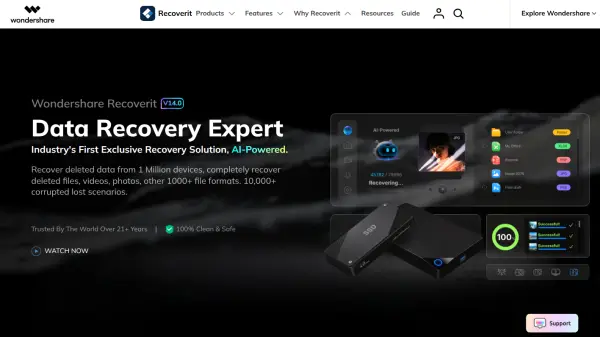
Wondershare Recoverit is an AI-powered data recovery and restoration tool for Windows and macOS. It scans hard drives, SD cards, USB drives, external storage, cameras, drones, GoPro devices, NAS servers, Linux devices, recycle bins, and other locations to recover deleted or lost photos, videos, audio files, documents, and more than 1,000 file formats.
Its intelligent recovery technology identifies devices and provides solutions for more than 10,000 data loss scenarios. It can reconstruct fragmented Ultra HD, 4K, and 8K videos, repair recovered photos and videos, remotely restore files from supported NAS systems, and retrieve data from crashed computers by using a bootable USB drive.
Features
- AI-Powered Data Recovery: Uses intelligent device identification and recovery processes across more than 1 million devices and 10,000 data loss scenarios.
- Photo and Video Restoration: Recovers and repairs lost media, including fragmented Ultra HD, 4K, and 8K video files.
- External Device Recovery: Restores files from SD cards, hard drives, USB flash drives, cameras, drones, GoPro devices, and other external storage.
- Crashed Computer Recovery: Creates a bootable USB drive to retrieve data from computers affected by boot failures, unexpected restarts, or the Blue Screen of Death.
- NAS and Linux Recovery: Remotely recovers files from supported NAS servers and scans Linux devices using EXT4, BTRFS, XFS, and BFS file systems.
Use Cases
- Recover deleted photos and videos from cameras, drones, GoPro devices, and SD cards.
- Restore documents, spreadsheets, presentations, PDFs, ZIP archives, emails, and audio files.
- Retrieve data lost through accidental deletion, formatting, factory resets, partition problems, or RAW disk errors.
- Recover files from crashed Windows or macOS computers that cannot boot normally.
- Restore data remotely from failed or corrupted Synology, QNAP, and Thecus NAS servers.
- Repair recovered photos and corrupted video footage, including high-resolution 4K and 8K media.
How It Works
Download the Appropriate Edition
Download Recoverit for Windows or macOS and install it on the computer.
Choose a Recovery Location
Select the relevant hard drive, external device, disk image, desktop folder, recycle bin, NAS system, or other supported recovery source.
Scan for Lost Data
Run the AI-powered scan to identify recoverable files from the selected device or location.
Review and Recover Files
Review the discovered files and restore the required photos, videos, documents, audio, or other supported data. Recovered photos and videos can also be repaired when needed.
FAQs
-
Which Linux file systems does Wondershare Recoverit support?
It supports EXT4, BTRFS, XFS, and BFS file systems for scanning Linux devices and recovering data. -
Can Recoverit restore data from a computer that will not start?
Yes. It can create a bootable USB drive to recover data from computers affected by system crashes, boot problems, unexpected restarts, or the Blue Screen of Death. -
Does NAS recovery require removing the disks from the server?
No. Recoverit can remotely recover data from supported failed or corrupted NAS servers, including Synology, QNAP, and Thecus systems, without unplugging the disk. -
Can it reconstruct high-resolution video files?
Yes. Its patented recovery technology can gather video fragments to restore Ultra HD, 4K, and 8K video files. -
Which desktop operating systems are available?
Recoverit is available for Windows and macOS.