What is Windframe?
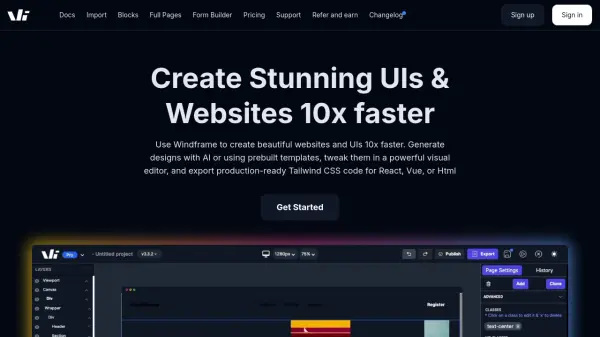
Windframe empowers users to visually create and edit beautiful designs and prototypes, and export code for immediate use in projects. Acting as a Tailwind builder and editor, it facilitates real-time visual webpage creation and editing.
The platform allows the importing of websites and UI libraries, such as Tailwind UI, Flowbite, and Daisy UI, for easy customization. Users can also leverage Windframe AI to generate UIs, ensuring design consistency across projects and significantly reducing development time.
Features
- Realtime Editing: Utilize an intuitive interface for visual editing of websites and templates.
- Windframe AI: Generate designs and ensure design consistency using artificial intelligence.
- Prebuilt Templates: Access a regularly updated library of over 1000 Tailwind CSS templates.
- Responsive Design: Render designs on various screen sizes and select specific styles for each.
- Segmented Classes: Work with Tailwind classes segmented by screen size for efficient development.
- Version History: Save different project versions and switch between them effortlessly.
- Code Export: Export designs to various frameworks including HTML, React, Vue, Gatsby, Next.js, and Angular.
- Team Collaboration: Collaborate in real-time with other team members on projects.
Use Cases
- Rapid prototyping of web designs.
- Creating production-ready UI components.
- Building and customizing dashboards and admin panels.
- Developing websites with Tailwind CSS.
- Collaborative web design and development.
- Importing and editing existing Tailwind CSS projects.
FAQs
-
How long does it take to code a webpage?
An average developer takes around 12 hours to 2 days to code a webpage. When you factor in a designer too it takes even more time.