What is WhosOffice?
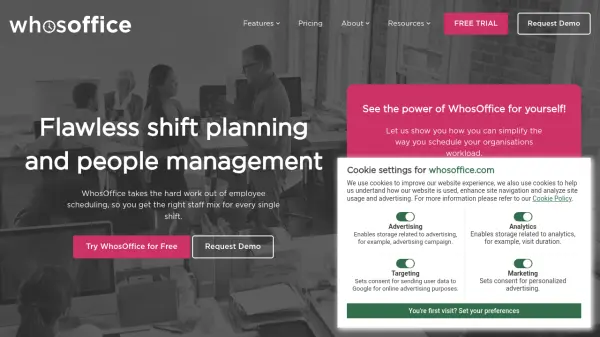
WhosOffice delivers a comprehensive solution for businesses to manage employee shifts, leave, and workforce resources through a cloud-based platform. Its intelligent scheduling engine allows managers to optimize staff rotas, integrate multiple shift patterns, and respond swiftly to last-minute changes, all from a user-friendly online dashboard accessible via web or mobile apps.
The platform includes robust HR tools such as leave management, task planning, overtime monitoring, and support for public holidays and company events. Through real-time communication features and customizable access levels, WhosOffice helps maintain clarity across teams while supporting productivity and compliance. Built-in reporting and analytics enable leaders to make data-driven staffing decisions and enhance operational efficiency for organizations in sectors like healthcare, retail, education, hospitality, and more.
Features
- Dynamic Shift Planning: Create, adjust, and optimize staff schedules effortlessly.
- Leave Management: Coordinate holiday, sickness, and TOIL with work schedules.
- Customizable Access: Set permissions based on user roles and management levels.
- Task Planning & Management: Assign and track tasks across the workforce.
- Automated Alerts: Notify staff about open shifts and scheduling updates.
- Mobile Accessibility: Manage schedules anytime via mobile and desktop apps.
- Real-Time Reporting: Generate and export workforce and scheduling reports.
- Rules & Restrictions: Define requirements according to skills, qualifications, and overtime rates.
- Group Management: Categorize staff by skills, seniority, or departments.
- Dedicated Support: Access around-the-clock assistance via phone and email.
Use Cases
- Create and update complex multi-team shift schedules.
- Integrate time-off requests and public holidays with daily operations.
- Monitor and report on staff attendance, overtime, and productivity.
- Manage HR data and documents related to staff scheduling.
- Facilitate communication of work schedules to mobile, deskless, or remote teams.
- Optimize workforce allocation across diverse business locations.
- Automate alerts for shift openings, changes, and approval needs.
- Analyze resource utilization and identify trends with customized reports.
FAQs
-
What is Employee Scheduling Software?
Employee scheduling software like WhosOffice simplifies and streamlines the process of creating and managing work schedules, allowing businesses to build optimal rotas for every shift efficiently. -
How many employees can be scheduled using WhosOffice?
There is no limit to the number of employees that can be scheduled with WhosOffice, making it suitable for organizations of any size. -
Does WhosOffice offer a free trial?
Yes, WhosOffice offers a free trial with no credit card required, allowing users to explore all system features without restriction. -
Is there a long-term contract required?
No, WhosOffice operates on a month-to-month rolling contract and can be canceled with 30 days' notice. -
How do I cancel my WhosOffice subscription?
You can cancel your account at any time by contacting WhosOffice support via email. The cancellation will be processed in accordance with a 30-day notice period.