
What is ZoomShift?
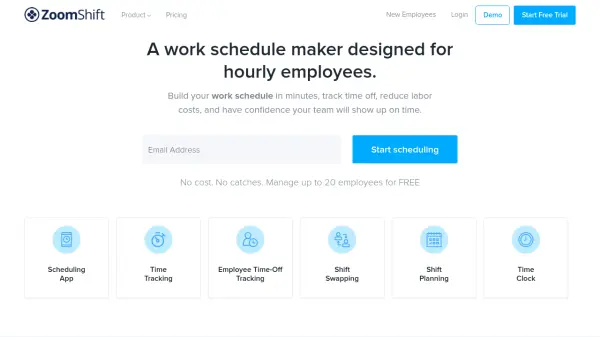
ZoomShift is a comprehensive workforce management platform designed specifically for businesses with hourly employees. The tool streamlines the entire scheduling process by providing an intuitive interface where managers can create, copy, and modify work schedules using drag-and-drop functionality. It eliminates the need for manual scheduling in Excel or Google Sheets, saving significant time and reducing errors.
The platform integrates multiple workforce management functions including time tracking, time-off management, shift swapping, and team communication. With mobile apps for both iOS and Android, managers and employees can access schedules, submit time-off requests, and communicate about shift changes from anywhere. The system includes automated reminders, overtime warnings, and labor cost forecasting to help businesses optimize their staffing budgets.
Features
- Employee Schedule Maker: Create, copy, and modify work schedules using drag-and-drop calendar interface and templates
- Time Tracking: Web and mobile time clocks with GPS tracking, IP whitelisting, and timesheet management
- Time-Off Tracking: PTO tracking and accrual with automated approval workflows and real-time notifications
- Shift Management: Shift swapping, cover requests, and availability management for flexible scheduling
- Team Communication: Private, group, and company-wide messaging with document sharing and read status indicators
- Labor Cost Control: Overtime warnings, early clock-in prevention, and schedule vs. timesheets comparison
- Mobile Accessibility: Free iOS and Android apps for on-the-go schedule management and team collaboration
Use Cases
- Creating weekly work schedules for hourly employees in retail stores
- Managing shift swaps and time-off requests for restaurant staff
- Tracking employee hours and generating payroll reports for service businesses
- Optimizing labor costs through overtime prevention and schedule forecasting
- Streamlining team communication about schedule changes and shift availability
- Automating schedule creation using templates for recurring weekly schedules
FAQs
-
How many employees can I manage with the free plan?
The Essentials plan allows you to manage up to 20 employees for free with basic scheduling and communication features. -
What happens after the 14-day free trial ends?
After the 14-day free trial, you need to subscribe to a paid plan (Starter or Premium) to continue using ZoomShift's features. -
Can I pause my subscription during slow business periods?
Yes, you can pause your subscription for months when you don't need ZoomShift and reactivate it later with all your data preserved. -
What types of businesses typically use ZoomShift?
ZoomShift is used by restaurants, retail stores, healthcare facilities, service businesses, hospitality companies, construction firms, salons, and many other industries with hourly employees. -
Does ZoomShift integrate with calendar applications?
Yes, the Starter and Premium plans include calendar app sync functionality to keep schedules synchronized across platforms.