What is Videos Compress?
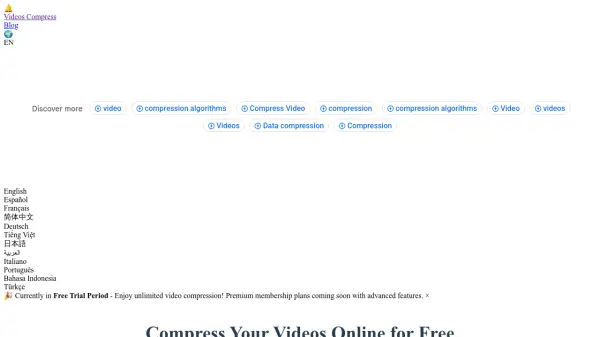
Videos Compress is an advanced online video compression solution that utilizes AI-powered quality analysis and industry-leading encoding standards to optimize video files. The platform supports all major video formats including MP4, AVI, MOV, WMV, FLV, WebM, and MKV, with a maximum file size of 2GB per video. Users can compress videos directly in their browser without installing any software or creating accounts.
The service employs multi-pass encoding technology and intelligent bitrate optimization to achieve superior quality-to-size ratios. All uploads are encrypted using TLS 1.3 security protocols, and files are automatically deleted after processing to ensure complete privacy. The responsive design works seamlessly across desktop and mobile devices, providing a consistent experience for all users.
Features
- AI-Powered Quality Analysis: Automatically optimizes compression settings for each video to balance file size reduction with visual quality preservation
- Multi-Format Support: Handles MP4, AVI, MOV, WMV, FLV, WebM, and MKV files up to 2GB in size
- Advanced Compression Technology: Utilizes multi-pass encoding with H.264 and H.265 (HEVC) standards for superior quality-to-size ratios
- Bank-Level Security: Encrypts all uploads using TLS 1.3 and automatically deletes files after processing
- No Software Required: Compress videos directly in your browser without installing any applications
Use Cases
- Content creators compressing videos for faster uploads to YouTube, TikTok, and Instagram
- Businesses optimizing training videos and marketing materials for internal portals
- Educational institutions making lecture recordings accessible to students with limited bandwidth
- Individuals preserving family memories while saving device storage space
- Professionals reducing file sizes for email sharing and client presentations
FAQs
-
What compression quality settings are available?
The tool offers three compression quality levels: Low Quality for smallest file size, Medium Quality for balanced results, and High Quality for near-original quality with larger file size. -
How does the compression algorithm work?
The algorithm uses efficient encoding to reduce redundant data in video files while preserving visual quality, with multi-pass encoding that analyzes the entire video first before applying variable bitrate optimization. -
What output resolution options are available?
Users can choose to keep the original resolution or select from 480p (854x480), 720p (1280x720), or 1080p (1920x1080) resolutions, with lower resolutions resulting in smaller file sizes. -
What happens to my videos after compression?
All files are automatically deleted from the servers after processing is complete, and the platform never stores, analyzes, or shares user content. -
How does the chunked upload technology work?
The chunked upload technology allows processing of large files up to 2GB by breaking them into smaller segments for more efficient uploading and processing.