Uminal favicon

Uminal
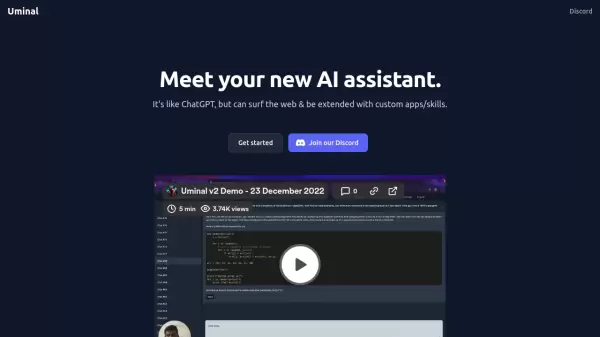
AI assistant with web browsing and custom skill capabilities

What is Uminal?

Uminal represents a significant advancement in AI assistant technology, offering users a versatile platform that goes beyond traditional chatbot capabilities. By combining web browsing functionality with the ability to integrate custom apps and skills, it provides a more comprehensive and adaptable AI assistance experience.

The platform distinguishes itself through its extensibility and real-time web access, allowing users to receive up-to-date information and customize their AI assistant's capabilities according to their specific needs.

Features

  • Web Browsing: Real-time internet access for current information
  • Custom Skills Integration: Ability to add and customize new capabilities
  • ChatGPT-like Interface: Familiar conversational AI interaction
  • Extensible Platform: Support for adding custom apps and functionalities

Use Cases

  • Real-time information gathering and research
  • Custom workflow automation
  • Personal assistance with web-enabled features
  • Interactive information processing and analysis

FAQs

  • What makes Uminal different from ChatGPT?
    Uminal differentiates itself by offering web browsing capabilities and the ability to be extended with custom apps and skills, which are not available in standard ChatGPT.

Related Queries

Helpful for people in the following professions

Related Tools:

Blogs:

  • Ghibli Art Generator AI tools

    Ghibli Art Generator AI tools

    List of the best AI tools to turn your photos into images that look like Studio Ghibli movies. Easy to use and fun for everyone.

  • Top 6 AI note-taking tools for 2026: in-person, online, and hybrid use cases

    Top 6 AI note-taking tools for 2026: in-person, online, and hybrid use cases

    Most AI note-taking lists are really lists of meeting bots, which join your video call and transcribe it. That's useful, but it's half the picture. Decisions happen in hallway conversations, client dinners, on-site visits, and hybrid rooms where nobody is on a video link. This guide covers different parts of the note-taking workflow: hardware capture for in-person settings, platform-native tools for online calls, and AI layers for organizing and synthesizing what you've captured. It compares six tools by capture context, workflow fit, pricing, and limitations.

  • Best AI tools for Lawyers

    Best AI tools for Lawyers

    streamline legal processes, enhance research capabilities, and improve overall efficiency in the legal profession.

Didn't find tool you were looking for?

Be as detailed as possible for better results