Ugic favicon

Ugic
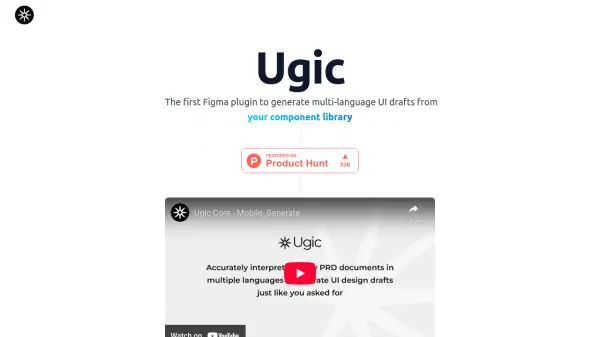
Generate multi-language UI drafts from your component library in Figma.

What is Ugic?

Ugic is a pioneering Figma plugin designed to enhance the UI design workflow. It is the first of its kind to generate multi-language UI drafts directly from a user's component library. The plugin leverages artificial intelligence to offer a streamlined and efficient design process.

By integrating seamlessly with Figma, Ugic customizes AI generation to align with established design systems. It supports the generation of unlimited styles based on the user's existing component library, and recognizes and generates drafts from lengthy PRDs in dozens of languages, significantly boosting overall efficiency.

Features

  • Customized AI Generation: Aligned with Your Design System.
  • Unlimited Styles: Generated from Your Component Library.
  • Ultimate Efficiency Boost: AI Generation from Lengthy PRDs.
  • Multilingual Generation: PRD Recognition and Draft Generation in Dozens of Languages.

Use Cases

  • Generating multiple UI design variations rapidly.
  • Localizing UI designs for different languages.
  • Creating UI drafts from product requirement documents.
  • Streamlining the design process for large projects.

Related Tools:

Blogs:

  • Best AI tools for Room Design

    Best AI tools for Room Design

    Discover cutting-edge AI tools that redefine the art of room design. From layout optimization to aesthetic finesse, these top-tier tools enhance your space to new heights.

  • Top AI tools for Teachers

    Top AI tools for Teachers

    Explore the top AI tools designed for teachers, revolutionizing the education landscape. These innovative tools leverage artificial intelligence to enhance teaching efficiency, personalize learning experiences, automate administrative tasks, and provide valuable insights, empowering educators to create engaging and effective educational environments.

  • Top 6 AI note-taking tools for 2026: in-person, online, and hybrid use cases

    Top 6 AI note-taking tools for 2026: in-person, online, and hybrid use cases

    Most AI note-taking lists are really lists of meeting bots, which join your video call and transcribe it. That's useful, but it's half the picture. Decisions happen in hallway conversations, client dinners, on-site visits, and hybrid rooms where nobody is on a video link. This guide covers different parts of the note-taking workflow: hardware capture for in-person settings, platform-native tools for online calls, and AI layers for organizing and synthesizing what you've captured. It compares six tools by capture context, workflow fit, pricing, and limitations.

  • AI thumbnail maker tools

    AI thumbnail maker tools

    Automatically generate visually appealing and optimized thumbnails for various digital content, streamlining the design process and enhancing visual engagement

Didn't find tool you were looking for?

Be as detailed as possible for better results