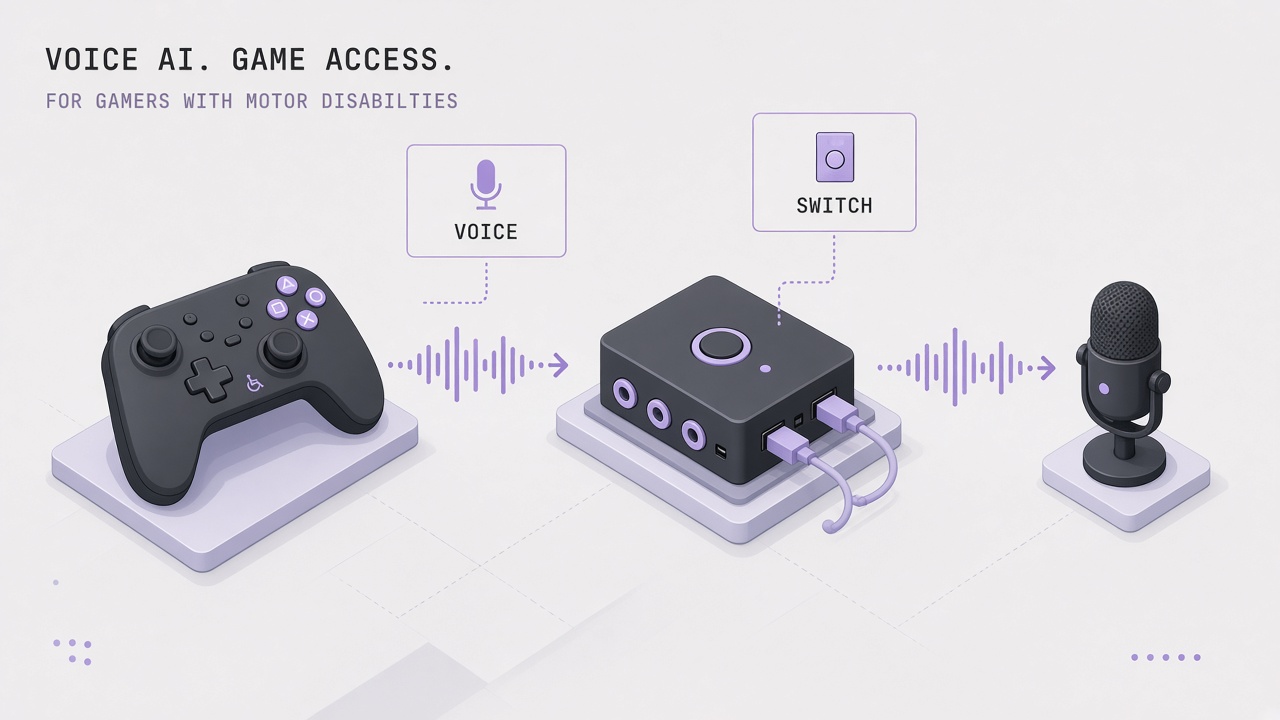
A player with muscular dystrophy wants to finish an action RPG boss fight. Standard controllers require grips and simultaneous stick clicks the hands cannot sustain. Instead, spoken commands trigger dodge rolls, switch mounts fire ability rotations, and eye tracking aims the camera between voice-triggered menu selections. Voice control gaming accessibility AI sits inside a broader assistive stack that includes hardware remapping, macro software, and platform-level accessibility APIs. Developers integrating conversational features through AI chatbot interfaces should not confuse menu dictation with full-game voice control. More gaming and accessibility research appears on the EliteAI.tools blog index.
The Xbox Adaptive Controller ecosystem, co-developed with advocacy groups including AbleGamers, established a hub-and-spoke model for switches, joysticks, and third-party devices. Voice layers from Dragon NaturallySpeaking, VoiceAttack, Windows Voice Access, and custom Python tools map utterances to keyboard and controller events. Latency remains the central barrier in competitive genres where sub-16 millisecond input-to-display targets define able-bodied esports expectations.
What Voice Control Gaming Accessibility AI Means in Plain Language
Voice control gaming accessibility AI refers to speech recognition, intent classification, and macro automation that let players with motor disabilities operate games through spoken commands, often combined with switch access, eye tracking, or mouth-operated joysticks when hands alone cannot reach standard inputs. The AI label applies when modern neural speech models replace legacy grammar-limited dictation, enabling natural phrasing and adaptive vocabulary at the cost of processing delay.
Voice control is rarely the only input. AbleGamers and disabled player communities document setups mixing the Xbox Adaptive Controller, QuadStick mouth controllers, Tobii eye trackers, and foot pedals. VoiceAttack macro chains map spoken phrases to complex key sequences in PC titles; Dragon provides dictation-grade recognition for menu navigation on Windows. Console voice assistants (Xbox, PlayStation) handle system UI but offer limited in-game binding compared with PC macro ecosystems.
| Input method | Best for | Typical latency |
|---|---|---|
| Voice macros (VoiceAttack) | PC RPGs, strategy, simulators | 200 to 800 ms end-to-end |
| Dragon dictation | Menus, chat, inventory management | 300 to 1000 ms |
| Switch access | Single-action repeats, ability rotations | Hardware dependent, often under 50 ms |
| Eye tracking aim | Camera control, target selection | 50 to 150 ms with calibration |
| Standard controller | Able-bodied baseline | Sub-16 ms competitive target |
Competitive versus cooperative latency expectations
Latency in competitive games punishes voice control hardest: fighting games, shooters, and rhythm titles expect inputs within frames, while turn-based or narrative games tolerate hundreds of milliseconds of speech pipeline delay. Disabled players often self-select genres or accept assist modes that slow enemy reaction times. Voice should not be marketed as parity input for ranked esports without measured latency disclosure.
How the Underlying AI Pipeline Works
A typical voice gaming stack captures microphone audio, runs streaming speech recognition, matches transcripts against command grammars or intent classifiers, debounces false triggers, and injects keyboard, mouse, or virtual controller events into the game loop. AI improvements focus on accent robustness, filler-word tolerance, and dynamic command lists; they do not remove physics-level delay from audio buffering and cloud inference when used online.
Speech recognition and intent mapping
Local models (Windows Speech Recognition, Vosk, Whisper.cpp variants) keep audio on-device for privacy and shave round-trip time. Cloud APIs trade latency for accuracy on rare vocabulary. VoiceAttack macro chains map spoken phrases like "dodge left" to pre-recorded key sequences; players build profiles per game with hundreds of commands. Dragon NaturallySpeaking excels at dictating chat text and navigating Windows UI but needs custom scripting to emit game-specific scancodes. Modern research demos target sub-300ms voice-to-action pipelines using streaming ASR plus predictive command pre-processing, though consumer setups rarely sustain that in noisy rooms.
Xbox Adaptive Controller integration
The Xbox Adaptive Controller ecosystem accepts 3.5 mm switch jacks, USB joysticks, and co-pilot mode pairing a second standard controller for shared input. Voice software usually emulates keyboard presses consumed by games or mapped through reWASD and similar remappers to virtual Xbox buttons. On Xbox consoles, system accessibility features (Narrator, speech-to-text) handle shell navigation while the Adaptive Controller handles in-game actions; full voice combat macros remain easier on PC.
Eye tracking and switch hybrid setups
Eye trackers from Tobii and Microsoft move the camera or cursor while a single switch or voice utterance confirms clicks. This division reduces the number of simultaneous physical actions required. Configuration literacy is high: players tune dwell times, dead zones, and command vocabularies over weeks. Community creators like Ian Hamilton and grassroots developers publish open profiles, but each game patch can break bindings until macros update.
| Pipeline stage | Latency contributor | Mitigation |
|---|---|---|
| Audio capture | Buffer size, noise gate | Directional mic, push-to-talk |
| ASR inference | Model size, cloud round trip | On-device streaming models |
| Intent match | Grammar search, disambiguation | Short unique command words |
| Input injection | OS scheduling, anti-cheat hooks | Vendor-approved accessibility APIs |
Typical workflow steps
- Assess game genre latency tolerance and platform (PC, Xbox, PlayStation).
- Select hardware hub (Xbox Adaptive Controller, switch mounts, eye tracker if needed).
- Install voice macro software and build a command list with non-conflicting short phrases.
- Map voice and switch outputs to remapped controls; test in training areas before ranked play.
- Measure end-to-end delay from spoken word to on-screen action; adjust push-to-talk and grammar strictness.
- Document profile backups and update after game patches.
Real Deployments and Published Evidence
Microsoft Xbox Adaptive Controller shipments and AbleGamers grant programs represent the largest institutional deployment of modular gaming hardware for motor disabilities, with voice layered by individual players rather than first-party console OS integration. The Verge documented disabled players using VoiceAttack, GAVPI, and custom Python tools when native accessibility options fall short, highlighting tech literacy barriers alongside creative solutions.
Naughty Dog The Last of Us Part II set a software benchmark with remappable controls, high-contrast UI, and audio cues after disabled player advocacy; voice control was not the primary feature, but the title showed that mainstream studios can ship deep accessibility when prioritized. Xbox and PlayStation continue expanding system-level speech navigation, yet in-game voice binding remains player-driven on PC through third-party tools.
Research prototypes and open-source demos explore sub-300ms voice-to-action pipelines with streaming ASR and predictive command execution for cooperative multiplayer. Rehabilitation centers report therapeutic gaming engagement when voice and switch setups reduce caregiver assistance, though published clinical metrics vary and commercial claims should be treated cautiously. Eye-tracking vendors integrate with flight simulators and RPGs where camera movement tolerates moderate delay.
Community advocacy as deployment driver
Improvements rarely arrive from spec sheets alone. Disabled players file support tickets, publish setup videos, and consult with studios during beta. Chaosparrot and similar creators open-source voice binding scripts that lower setup cost but require coding comfort. AbleGamers peer counseling helps newcomers assemble Adaptive Controller layouts before adding voice layers. This ecosystem is evidence of real-world deployment even when AAA titles lack native voice combat modes.
Platform comparison for voice plus adaptive hardware
Windows PC offers the richest stack: Xbox Adaptive Controller via USB, VoiceAttack profiles per Steam library, Dragon for chat dictation, Tobii eye tracking, and reWASD virtual controller mapping. Xbox Series consoles support Adaptive Controller and Copilot but restrict arbitrary keyboard injection in many titles. PlayStation Access controller expands first-party switch layouts yet lacks an equivalent open macro ecosystem. Players choose platforms partly based on which assistive glue software exists, not graphics alone.
Cloud gaming adds network latency on top of speech delay, making voice control even less viable for action genres unless local assistive software runs on a thin client with stable input injection. Offline single-player titles remain the safest proving ground for new voice profiles before players risk ranked multiplayer frustration.
Limits, Risks, and Ethical Guardrails
Voice control gaming accessibility AI faces recognition errors in noisy environments, accent bias in training data, anti-cheat false positives on injected inputs, and fatigue from constant speech during long sessions. Competitive multiplayer raises fairness questions when voice macros execute faster humanly possible action sequences unless games cap automation.
- Latency ceiling: Speech pipelines cannot match frame-perfect fighting game inputs without hybrid switch backups.
- Privacy: Always-listening modes capture household conversations; push-to-talk should be default.
- Anti-cheat: Kernel-level blockers may flag accessibility injectors; players need transparent appeal paths.
- Setup burden: VoiceAttack macro chains map spoken phrases but require hours of profiling per title.
- Genre exclusion: Rhythm and twitch shooters remain effectively inaccessible by voice alone.
Ethical guardrails include native game remapping APIs, first-party voice binding templates audited with disabled players, configurable confirmation before destructive actions, and clear communication when modes switch between dictation and command recognition. Accessibility is a day-one requirement, not a post-launch patch excuse.
Who Should Use This and Who Should Wait
Players with motor disabilities on PC exploring RPGs, strategies, simulations, and cooperative shooters should experiment with Xbox Adaptive Controller hardware plus VoiceAttack or Dragon workflows after peer guidance. Competitive ranked players should hybridize voice with switches and expect genre limits. Game studios should ship remappable controls and document safe input injection hooks instead of waiting for perfect voice AI.
| Profile | Recommendation | Guardrail |
|---|---|---|
| PC RPG enthusiast | VoiceAttack plus Adaptive Controller switches | Profile backup before patches |
| Console-only player | Adaptive Controller, co-pilot, system speech for UI | Expect fewer in-game voice binds |
| Fighting game ranked | Hybrid switch plus eye tracking, not voice alone | Latency will block parity |
| Game developer | Ship remaps and input preview now | Test with disabled playtesters |
Frequently Asked Questions
Can Xbox voice commands play games hands-free?
Console voice assistants navigate menus and launch titles; complex in-game combat macros still rely on Adaptive Controller switches or PC software like VoiceAttack. Treat system voice as shell accessibility, not full gameplay replacement.
VoiceAttack or Dragon for gaming?
VoiceAttack macro chains map spoken phrases to game key binds; Dragon excels at dictation and Windows navigation but needs extra scripting for game actions. Many players use both in split roles.
Is voice viable in competitive multiplayer?
Generally no for frame-critical genres; cooperative and turn-based modes tolerate 200 to 800 ms speech pipeline delay better than esports shooters. Hybrid switch backups cover emergency dodges.
How does eye tracking combine with voice?
Eye tracking moves aim or cursor while voice or switches confirm actions, reducing simultaneous limb demands. Calibration and lighting affect reliability.
Will anti-cheat block voice tools?
Some kernel anti-cheat packages flag input injectors; players should use documented accessibility paths and contact support with logs when blocked. Studios should whitelist common assistive injectors.
Is the Adaptive Controller enough without voice?
Many players use switches and joysticks alone; voice adds value when limb range is extremely limited or for menu-heavy games. Setup is personal, not prescriptive.
Will native in-game voice AI replace macros?
Until studios ship low-latency, remappable voice intents tested with disabled players, third-party macro ecosystems remain essential. Native support should expose confirmation toggles and preview UI.
Should voice gaming use push-to-talk?
Push-to-talk reduces false command triggers from background speech, streamer audio, and household noise at the cost of an extra switch action. Many motor-disabled players mount a puff switch or use a foot pedal for talk activation while commands stay short and distinct.
Conclusion
Voice control gaming accessibility AI extends the Xbox Adaptive Controller ecosystem with speech macros, Dragon dictation, eye tracking, and switch access for players whose motor disabilities exclude standard controllers. VoiceAttack macro chains map spoken phrases to game actions on PC, while consoles lean on hardware remapping and system speech for menus. Latency in competitive games remains the hard limit: speech pipelines measure in hundreds of milliseconds, not esports frame budgets. Deploy voice as one layer in a hybrid assistive stack, prioritize remappable native controls in game design, and co-test with disabled players instead of treating voice dictation as finished accessibility.