What is Text to Design?
Text to Design functions as an AI-powered assistant specifically for Figma users. It aims to simplify and accelerate the design process, which can often be time-consuming, involving numerous steps from requirement analysis to final revisions. This tool addresses the complexity and effort involved in creating designs like single web pages from scratch.
By leveraging artificial intelligence, the plugin allows users to generate Figma designs directly from text prompts or by providing image examples. It interprets these inputs to create various design elements, including navigation bars, hero sections, and product cards. This enables designers of all skill levels to enhance their productivity and focus more on the creative aspects of their work, reducing the time spent on manual design tasks like spacing, color adjustments, and alignment.
Features
- Text to Design: Transform text prompts into Figma designs.
- Image to Design: Generate Figma designs based on provided images.
- Text to Image Generation: Create images from text descriptions.
- Figma Copilot: Acts as an AI assistant within the Figma environment.
- Design to Code: Convert Figma designs into code.
- AI-Powered Design Generation: Utilizes GPT-4-Turbo and GPT-4-Vision for design creation.
- Direct Figma Integration: Operates as a plugin directly within Figma.
Use Cases
- Rapid prototyping of UI elements
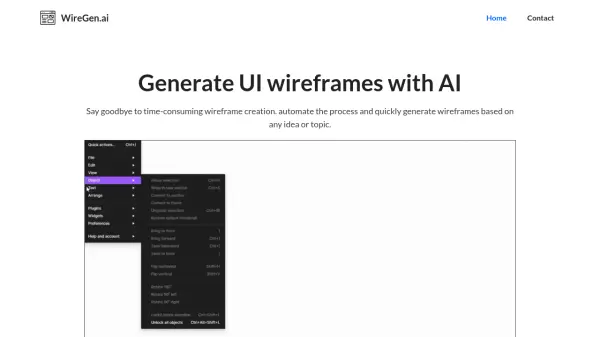
- Generating wireframes from text descriptions
- Creating mockups based on image examples
- Accelerating the design process for web pages
- Quickly iterating on design ideas
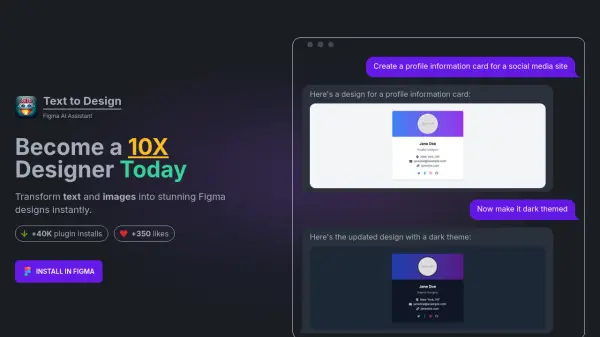
- Generating design variations like light/dark themes
- Creating social media profile cards or info pages
FAQs
-
What is Text to Design?
Text to Design is a Figma plugin that utilizes artificial intelligence to generate Figma designs based on your text description or image examples. It can be used to create various design elements such as navigation bars, hero sections, product cards, wireframes, and more. -
How does Text to Design work?
Text to Design works by taking your text input and image input and using its AI algorithms to interpret your requirements and generate designs. These designs can then be directly imported into Figma. -
Why is the design generation sometimes slow?
The generation can take up to 3 minutes in some cases because the AI model needs to create the styling and composition for each element, which depends on the design's complexity. -
What if I don't like the generated design?
You can generate a new design by clicking the 'Re-generate' button or by modifying the text description to get a different result. -
How can I report a bug or suggest a feature?
You can report bugs, suggest features, or ask questions by sending an email to [email protected].