What is TypeCharm?
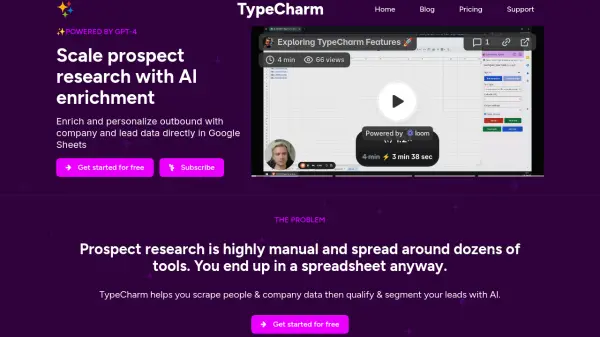
Leverage the power of AI to streamline the often manual process of prospect research. TypeCharm operates directly within Google Sheets, eliminating the need to juggle multiple tools. It focuses on enriching lead data and personalizing outbound communication by automatically gathering company and individual information.
The tool scrapes websites and LinkedIn profiles (including posts) to collect relevant data points such as company descriptions and customer logos. Utilizing AI, specifically GPT-4, it can then process this information to assist with qualifying and segmenting leads based on predefined or custom criteria, making the entire research workflow more efficient.
Features
- Google Sheets Integration: Operates as an extension directly within Google Sheets.
- Website Scraping: Extracts company information from websites.
- AI-Powered Qualification: Transforms company descriptions into qualification answers using AI.
- Customer Logo Extraction: Identifies and extracts customer logos from landing pages.
- LinkedIn Profile Scraping: Gathers data from LinkedIn profiles, including recent posts.
- Custom AI Prompt Building: Enables users to create structured, custom prompts for specific research tasks.
Use Cases
- Automating lead generation research.
- Enriching CRM data with detailed prospect information.
- Personalizing sales outreach campaigns at scale.
- Qualifying leads efficiently within spreadsheets.
- Segmenting prospects based on AI-driven insights.
- Streamlining B2B sales prospecting workflows.
FAQs
-
How does TypeCharm access and use data within Google Sheets?
TypeCharm uses Google OAuth permissions to read/write data only in sheets where the user initiates tasks. It retrieves input data, processes it (including sending requests to AI providers like OpenAI), and writes the results back into the specified sheet ranges. -
What purposes does TypeCharm process user data for?
Data is processed primarily to provide and improve the service, manage user accounts, offer customer support, handle billing, send relevant communications (transactional, marketing), generate analytics, and comply with legal obligations. -
Can I use custom prompts with TypeCharm?
Yes, TypeCharm allows you to build your own AI prompts. It provides a structure including Persona, Tasks, Steps, Context, and Examples to help you create effective custom prompts for your specific research needs.