Prospect Sidekick favicon

Prospect Sidekick
Personalized, Intelligent Sales Responses in Your Control

What is Prospect Sidekick?

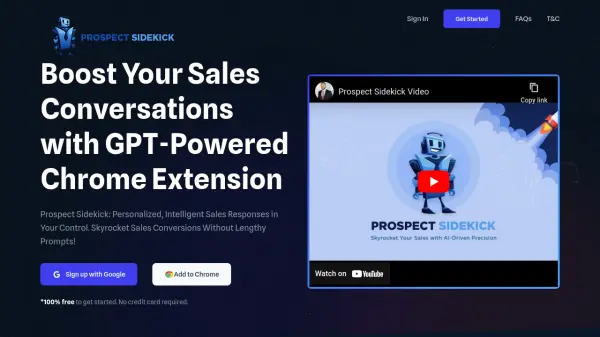
Prospect Sidekick is an innovative Chrome extension that leverages GPT technology to revolutionize sales communications. The tool enables sales professionals to generate contextually appropriate, personalized responses to client messages with minimal effort, simply by highlighting the text they want to respond to.

The extension offers customizable presets for response tone, intention, and length, with options for both SMS and email communications. Users can further enhance their responses by adding specific context and choosing between question or statement endings, making each interaction more effective and conversion-focused.

Features

  • One-Click Response Generation: Highlight text and get instant responses
  • Customizable Presets: Adjust tone, intention, and length of responses
  • Multi-Format Support: Optimized for both SMS and email communications
  • Response Customization: Option to end with questions or statements
  • Profile Personalization: Set job title and description for industry-specific responses

Use Cases

  • Responding to sales inquiries
  • Following up with prospects
  • Crafting personalized client communications
  • Managing customer relationships
  • Streamlining sales outreach

Related Tools:

Blogs:

  • Boost Engagement in Ads with AI

    Boost Engagement in Ads with AI

    Discover how AI music and AI SDR agents are reshaping modern advertising. Learn how emotional resonance through AI-generated soundtracks combined with smart, automated sales outreach can turn viewers into loyal customers faster, cheaper, and more personally than ever before.

  • Best AI tools for Lawyers

    Best AI tools for Lawyers

    streamline legal processes, enhance research capabilities, and improve overall efficiency in the legal profession.

  • Top 6 AI note-taking tools for 2026: in-person, online, and hybrid use cases

    Top 6 AI note-taking tools for 2026: in-person, online, and hybrid use cases

    Most AI note-taking lists are really lists of meeting bots, which join your video call and transcribe it. That's useful, but it's half the picture. Decisions happen in hallway conversations, client dinners, on-site visits, and hybrid rooms where nobody is on a video link. This guide covers different parts of the note-taking workflow: hardware capture for in-person settings, platform-native tools for online calls, and AI layers for organizing and synthesizing what you've captured. It compares six tools by capture context, workflow fit, pricing, and limitations.

Didn't find tool you were looking for?

Be as detailed as possible for better results