What is Twos?
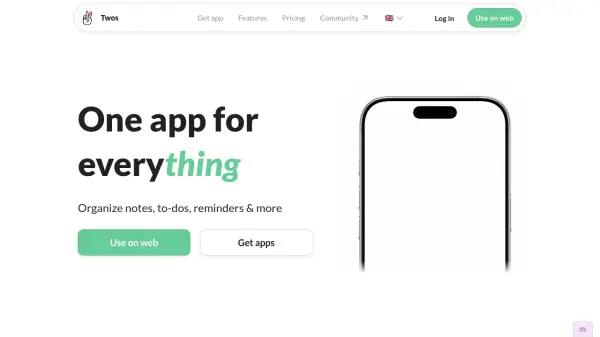
Twos provides a unified platform designed to help users manage various aspects of their daily lives by integrating notes, tasks, reminders, and calendar events into a single system. Its core functionality revolves around daily lists, allowing for quick capture of thoughts, ideas, to-dos, and events as they occur. This approach simplifies organization and makes information easily accessible.
The platform facilitates remembering information through features like integrated reminders and a robust search function. Users can organize captured items into specific lists or move them to relevant dates. Twos also incorporates AI capabilities, such as an AI Assistant and AI Commands, to further enhance productivity and information management. Collaboration is supported through sharing options for specific lists or days, and the tool is available across multiple platforms including Web, iOS, Android, and a Chrome Extension.
Features
- Daily Lists: Centralize notes, tasks, events, and reminders on a daily view.
- Quick Capture: Easily jot down thoughts, ideas, and to-dos.
- Integrated System: Combines notes, tasks, reminders, and calendar events.
- Cross-Platform Sync: Access information on Web, iOS, Android, and Chrome Extension.
- AI Assistant: Utilize artificial intelligence for enhanced productivity.
- AI Commands: Leverage AI for specific tasks and organization.
- Search Functionality: Quickly find previously recorded information.
- Collaboration: Share specific lists or days with others.
Use Cases
- Capturing daily thoughts and ideas.
- Managing personal tasks and to-do lists.
- Setting reminders for important events.
- Organizing notes for meetings or projects.
- Journaling daily activities and reflections.
- Collaborating on shared lists or plans.
- Creating a personal knowledge base.
- Planning daily schedules by integrating calendar events.
FAQs
-
How is Twos different from other note-taking or productivity apps?
Twos integrates notes, tasks, reminders, calendar events, and journaling into a single system based on daily lists, designed specifically to help you remember things easily. -
Is Twos completely free to use?
Yes, the core features of Twos for writing, remembering, and sharing things are free. There is an optional paid subscription, Twos Pro, for advanced features. -
How does Twos make money if the core features are free?
Twos offers an optional subscription called Twos Pro ($10/month or $100/year) which provides access to premium features like the AI Assistant, AI Commands, custom themes, and more. -
Can I import my existing notes from other applications?
Yes, Twos supports importing data from various applications including Apple Notes, Google Keep, Evernote, Notion, and others. -
Is my data private and secure in Twos?
Your data is private by default and stored securely. You have the option to share specific lists or days if you choose to collaborate.