What is Trovve?
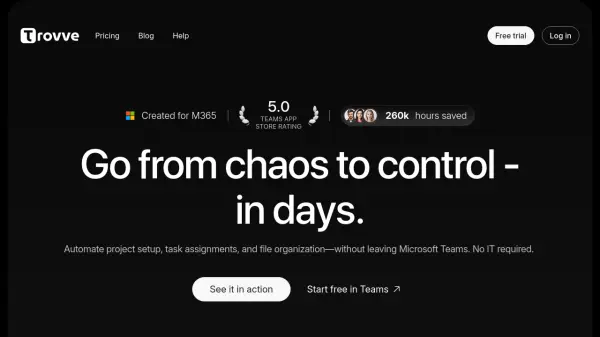
Trovve is an AI-powered project management application designed specifically for Microsoft 365 environments. It seamlessly integrates with Microsoft Teams, SharePoint, and other Microsoft 365 services to automate project setup, task assignments, and file organization. The tool transforms chaotic project management into streamlined systems within days, eliminating manual processes and reducing administrative overhead.
By leveraging artificial intelligence and automation, Trovve provides intelligent project templates, smart folder structures in SharePoint, and automated task dependencies. It offers visual dashboards, Kanban boards, and AI-powered health scores to identify project risks before they escalate. The platform centralizes tasks, files, and meetings into a unified workspace, enabling teams to work more efficiently within their existing Microsoft 365 ecosystem.
Features
- AI-Powered Project Creation: Automatically generates projects and tasks using artificial intelligence
- Smart File Organization: Automatically organizes files in SharePoint with intelligent folder structures
- Automated Task Assignment: Assigns tasks and dependencies without manual input
- Visual Dashboards: Provides interactive dashboards and Kanban boards for project tracking
- Microsoft 365 Integration: Deep integration with Microsoft Teams, SharePoint, and 20+ core Microsoft services
- Reusable Templates: Build once and reuse standardized project templates across clients
- AI-Powered Health Scores: Identifies project risks before they escalate using artificial intelligence
- Daily Summaries: Delivers daily project summaries and task alerts directly in Microsoft Teams
Use Cases
- Automating project setup and initialization processes
- Streamlining task assignment and dependency management
- Organizing files and documents in SharePoint automatically
- Managing client projects with standardized templates
- Tracking project health and identifying potential risks
- Centralizing project information within Microsoft Teams
- Reducing administrative overhead in project management
- Improving team collaboration in Microsoft 365 environments
FAQs
-
Does Trovve integrate with other tools?
Yes, Trovve integrates with Microsoft 365, including Microsoft Teams, OneDrive, and SharePoint. Additionally, you can connect with other tools using our Power Automate connector available in the Microsoft Power Automate app store. -
Can I access Trovve on my mobile devices?
You can access Trovve on mobile devices via the Microsoft Teams app. While a standalone mobile app is in development, you can still manage projects on the go through Teams. -
How do I start using Trovve?
You can start using Trovve by signing up for a free trial. Simply add Trovve to Microsoft Teams and you're ready to go. -
Is there a free trial available?
Yes, Trovve offers a 7-day free trial with no credit card required. You can explore all features during this period. -
How easy is it to learn Trovve?
Trovve is designed to be user-friendly. Most users can learn about the app in about 15 minutes and integrate it into their workflow within an hour.