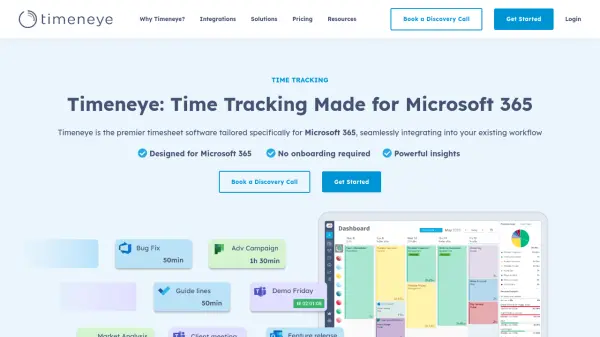
What is Timeneye?
Timeneye is a comprehensive time tracking and project management solution designed to seamlessly integrate with Microsoft 365. It enables teams to track billable and non-billable hours, manage projects, and generate detailed reports. With native integrations for Microsoft Teams, Outlook Calendar, Azure DevOps, and Power BI, Timeneye streamlines workflows and boosts productivity.
The tool offers features such as project monitoring, team management, client management, and billing. It supports various industries and team sizes, providing a user-friendly interface that requires minimal onboarding. Timeneye helps businesses stay within budget, accurately invoice clients, and gain valuable insights into time allocation.
Features
- Time Tracking: Easy and fast time tracking with support for billable and non-billable hours.
- Project Management: Monitor projects, stay within budget, and visualize daily effort.
- Team Management: Get an overview of team activity and labor costs.
- Client Management: Track time spent on tasks and labor costs per client.
- Reports & Insights: Customizable reports with table, pie chart, and area chart layouts.
- Billing: Track billable hours and see earned amounts per project.
- Microsoft 365 Integrations: Native integrations with Microsoft Teams, Outlook Calendar, To Do, Planner, Project, Azure DevOps, and Power BI.
- Browser Extensions: Chrome, Firefox, and Edge extensions for easy time tracking.
- Mobile Apps: iOS and Android apps for tracking time on the go.
- Collaboration: Team collaboration via Microsoft Teams with auto-add of team members.
Use Cases
- Tracking billable hours for client invoicing
- Managing multiple projects and deadlines
- Monitoring team productivity and performance
- Analyzing project profitability
- Integrating time tracking with Microsoft 365 workflows
- Generating reports for business insights
- Managing remote and hybrid teams
FAQs
-
Do I need to enter my credit card to sign up?
No, you can sign up and try Timeneye for 14 days without a credit card. At the end of your free trial, you’ll be asked to enter your card details if you decide to purchase a PRO subscription. -
How is the subscription fee calculated for paid plans?
The price is calculated per user; every user tracking time in Timeneye will need a license. We do not charge for archived users. -
Is there a free version of Timeneye?
Timeneye has a free plan which is ideal for freelancers and individual professionals. The free plan is limited to 2 users only. In addition, we offer a 14-day free trial of the Pro plan. -
Can I switch between plans?
Yes. You can make changes to your plan at any time by changing your plan type and by adding or removing users from the Billing section of the Timeneye app. -
Do you offer any discounts?
We provide special discounts to educational institutions and non-profit organizations. To request the discount, e-mail us at [email protected] before purchasing a subscription.