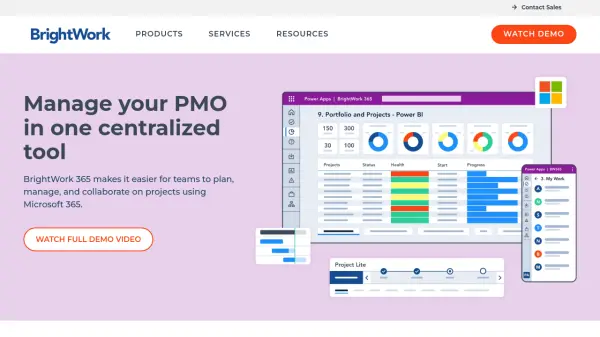
What is BrightWork 365?
BrightWork 365 is a complete project portfolio management solution designed specifically for organizations using Microsoft 365. This flexible platform brings together the Microsoft 365 ecosystem into a single collaboration hub for project teams while providing senior executives with immediate visibility and data-backed insights. The solution enables teams to plan, manage, and collaborate on projects using best-practice templates built directly on Microsoft 365 infrastructure.
The platform offers configurable templates and workflows that support varying levels of project complexity and processes. Organizations can leverage the familiar Microsoft 365, Power Platform, and Teams interfaces to deploy a centralized, secure project portfolio management solution that requires little to no coding. BrightWork 365 follows a proven Start-Evolve deployment approach that allows organizations to begin with immediate standardization and visibility, then mature their project management processes over time for more predictable outcomes.
Features
- Project Templates: Configurable templates built on Microsoft 365 for various project types and complexities
- Portfolio Templates: Roll-up dashboards for real-time reporting across multiple projects and programs
- Project Requests: Streamlined system for managing project intake and approval processes
- Task Boards: Agile boards to visualize project workflows within SharePoint environment
- Power BI Reporting: Integration with Power BI for interactive project reporting and analytics
- Project Stage Approval Flow: Out-of-the-box approval processes for each project stage
- Content Templates: Templates that copy key data from successful projects for quick implementation
Use Cases
- Standardizing project management processes across departments
- Gaining real-time visibility into project portfolios and performance
- Streamlining project request intake and approval workflows
- Managing multiple projects with varying complexity levels
- Integrating project management with existing Microsoft 365 ecosystem
- Creating centralized collaboration hubs for project teams
- Generating data-backed insights for executive decision-making
FAQs
-
What is the difference between BrightWork 365 and BrightWork for SharePoint On-Premises?
BrightWork 365 is the cloud-based version designed for Microsoft 365, while BrightWork for SharePoint On-Premises is installed in your own SharePoint 2013, 2016, 2019 or Subscription Edition environment. -
What types of organizations typically use BrightWork 365?
Organizations of various sizes worldwide use BrightWork 365, including manufacturing companies, logistics firms, government agencies, and corporate PMOs across different industries. -
How does BrightWork 365 integrate with Microsoft Teams?
BrightWork 365 integrates with Microsoft Teams to provide a centralized collaboration hub where project teams can communicate, share documents, and access project information directly within Teams. -
What is the Start-Evolve deployment approach?
The Start-Evolve approach begins with quick implementation for immediate standardization and visibility, then evolves by maturing project management processes over time for more predictable outcomes. -
What types of support and training are available with BrightWork 365?
BrightWork 365 offers extensive product documentation, online support desk access, training library access, dedicated success partners, project management health checks, and professional coaching sessions depending on the subscription plan.