TouchPoint Visitor Management System favicon

TouchPoint Visitor Management System
Streamlined and Secure Web-Based Visitor Management

What is TouchPoint Visitor Management System?

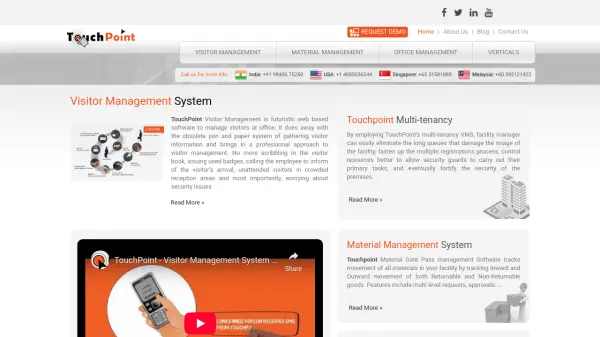
TouchPoint Visitor Management System offers a professional and secure method for handling visitor entry and management at corporate facilities. Designed to modernize traditional processes, this web-based software eliminates manual sign-in, minimizes time spent at reception, and improves organizational security by digitally recording every visitor’s information and activity.

The solution’s multi-tenancy support allows facility managers to process large volumes of visitors across multiple tenants with speed and accuracy. TouchPoint’s additional modules cover material gate pass management—both returnable and non-returnable—along with comprehensive office management features that support smooth administrative operations within enterprises.

Features

  • Digital Visitor Registration: Securely capture and store visitor details online.
  • Multi-Tenancy Support: Handle multiple tenants and process large visitor volumes efficiently.
  • Automated Notifications: Notify employees upon visitor arrival without manual intervention.
  • Material Gate Pass Management: Track inwards and outwards movement of all materials with support for returnable and non-returnable items.
  • Enhanced Security: Streamline reception and visitor management to reduce security risks.
  • Office Administration Tools: Support for day-to-day office supervision and operations.

Use Cases

  • Digitizing visitor registration and logbook management in corporate offices.
  • Managing material movement and inventory with automated gate pass tracking.
  • Streamlining reception area processes and reducing queue times.
  • Maintaining secure visitor access records for compliance and safety.
  • Facilitating the administration of multi-tenant office spaces.

Related Tools:

Blogs:

  • Best AI tools for Product Photography

    Best AI tools for Product Photography

    Explore top AI tools that can elevate your product photography, helping you enhance images, streamline workflows, and create professional visuals with ease.

  • Top AI tools for Students

    Top AI tools for Students

    These AI tools are designed to enhance the learning experience for students. From personalized study plans to intelligent tutoring systems.

  • Top 6 AI note-taking tools for 2026: in-person, online, and hybrid use cases

    Top 6 AI note-taking tools for 2026: in-person, online, and hybrid use cases

    Most AI note-taking lists are really lists of meeting bots, which join your video call and transcribe it. That's useful, but it's half the picture. Decisions happen in hallway conversations, client dinners, on-site visits, and hybrid rooms where nobody is on a video link. This guide covers different parts of the note-taking workflow: hardware capture for in-person settings, platform-native tools for online calls, and AI layers for organizing and synthesizing what you've captured. It compares six tools by capture context, workflow fit, pricing, and limitations.

  • Top AI tools for Teachers

    Top AI tools for Teachers

    Explore the top AI tools designed for teachers, revolutionizing the education landscape. These innovative tools leverage artificial intelligence to enhance teaching efficiency, personalize learning experiences, automate administrative tasks, and provide valuable insights, empowering educators to create engaging and effective educational environments.

Didn't find tool you were looking for?

Be as detailed as possible for better results