What is Think Machine?
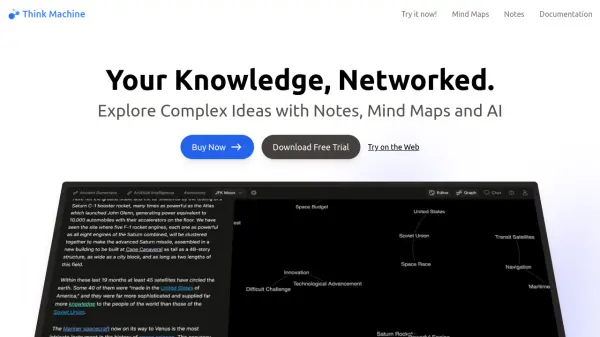
Think Machine offers a unique approach to knowledge management by combining mind mapping and note-taking within an infinite canvas workspace. It empowers users to visualize interconnected ideas and explore complex information structures effectively. The platform facilitates deeper understanding by allowing users to map relationships between concepts and learn from the intricate connections within their information.
Leveraging innovative features, this tool provides a robust environment for brainstorming and research. It enables the automatic extraction of knowledge maps from various sources and offers AI-driven guidance to navigate complex data sets. Designed for clarity and insight, it helps users see both the broader context and specific details of their knowledge network, making it easier to uncover hidden patterns and generate new ideas.
Features
- HyperEditor: Create mind maps and notes using a simple text interface.
- Trail Links: Navigate information using high-level connections.
- GPS (Global Positioning Symbols): Utilize a personal coordinate system for thoughts.
- Cascading Context: View ideas within different contexts simultaneously.
- Search: Explore information by following local connections.
- InstaCartography: Automatically generate knowledge maps from data.
- Wayfinder AI: Receive AI-powered guidance for exploring data.
- Interwingle: Adjust the connectedness of data dynamically.
- Knowledge Graph: Build a semantic network archive for knowledge.
- Document Imports: Import information from PDF and DOCX files.
Use Cases
- Research: Map new territories, visualize complex data, and discover hidden connections in academic or professional fields.
- Knowledge Work: Build and explore personal or organizational knowledge universes to improve understanding and unlock insights.
- Education: Create visual study guides, connect theory with practice, and develop a deep understanding of subjects.
- Business: Model complex processes, identify project bottlenecks, and visualize business flywheels or network effects.
- Writing: Craft intricate narratives, maintain world-building consistency, and visualize complex plot structures.
- Development: Automate complex data visualizations, programmatically generate schematics, and connect custom data sources.